In 2026, “wearable” no longer means “smartwatch.” Smart rings have matured from niche sleep trackers into credible, always-on sensors you can forget you’re wearing. Smartwatches, meanwhile, keep expanding into mini end-user endpoints: notifications, safety features, identity-adjacent workflows, and (in some orgs) a legitimate productivity surface.
For IT professionals, the right question isn’t which device is “better.” It’s which form factor fits real life under real constraints: battery habits, shift work, gloves, hygiene rules, on-call noise, security posture, privacy expectations, and how much device management you’re willing (or allowed) to do.
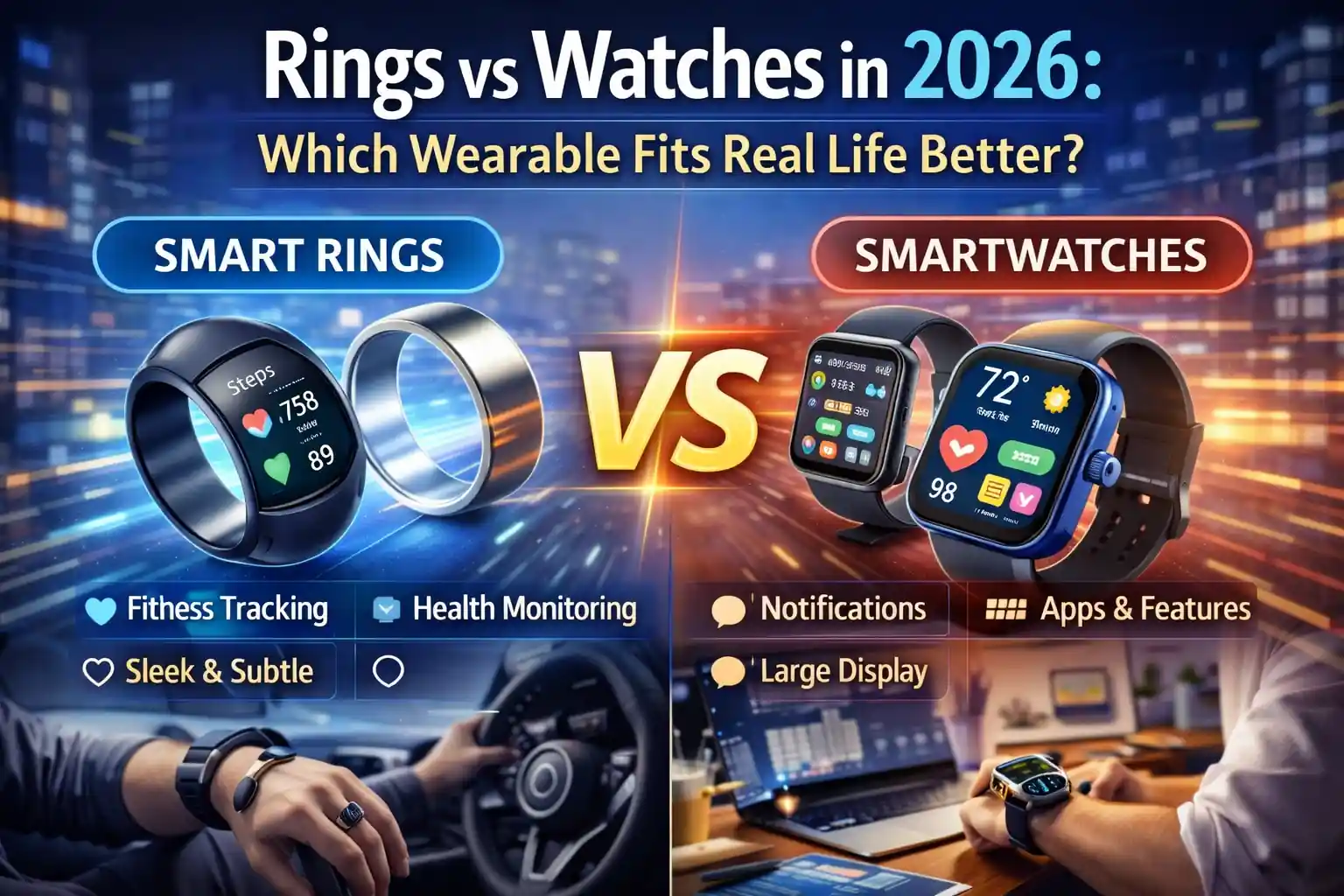
What Changed by 2026: Rings Got Serious, Watches Got Broader
Rings gained credibility by staying focused: passive health signals, better battery, and fewer “gadgety” interactions that demand attention. Recent announcements show rings edging into features that used to be watch-only, like haptic alerts and longer-horizon cardiovascular trend insights (positioned as wellness trends rather than clinical measurements). :contentReference[oaicite:0]{index=0}
Watches, at the same time, are becoming more “platform” than “tracker.” Safety and health features have continued to expand, including sleep apnea notifications and fall detection on supported Apple Watch models, plus an ongoing push toward proactive, pattern-based insights rather than just step counting. :contentReference[oaicite:1]{index=1}
Vendors are also leaning into AI-flavored health analytics across wearables, including cognitive health-style initiatives announced for future Galaxy wearables. Even when framed as non-diagnostic “early warning” tooling, this trend matters for policy and communications because employees may assume medical certainty where none exists. :contentReference[oaicite:2]{index=2}
The Form Factor Reality: Finger vs Wrist
Rings fit real life when you want health telemetry to fade into the background. A ring can be “always on” without feeling like a tiny smartphone. That matters for IT pros who already live in alert fatigue: the last thing you need is another buzzing screen competing with your incident channel.
Watches fit real life when you want a controllable interface: glanceable notifications, quick actions, safety tooling, and (depending on platform) integrations that can reduce phone dependence for certain tasks. The wrist is a better place for interaction, but it’s also a worse place for “forget it’s there” wearability—especially with long shifts, PPE, or strict hygiene environments.
In practice, the form factor tends to decide the winner long before specs do. If the device must be invisible and low-maintenance, rings have the advantage. If the device must communicate and coordinate, watches stay ahead.
Battery and Charging: The “Human Factors” IT Pros Can’t Ignore
Battery life is policy, not a spec. The best wearable is the one your users will actually keep charged without thinking. Rings generally win here: for example, Samsung has marketed Galaxy Ring battery life up to about a week depending on size and usage, and RingConn has marketed multi-day battery life (often around the 10–12 day range for certain models). :contentReference[oaicite:3]{index=3}
Watches usually demand more frequent charging, especially if the screen, notifications, workouts, and cellular features are heavily used. That doesn’t make them worse; it just makes them a different habit. If your user base already charges nightly (like a phone), a watch can fit. If you’re supporting field techs who forget chargers in trucks, rings tend to survive reality better.
From an enterprise perspective, battery life also affects incident risk. A wearable that dies midday can quietly break safety workflows, health prompts, or “I need to be reachable” expectations. With watches, you mitigate that with training, spares, or charging routines. With rings, you usually mitigate it by selecting models with longer battery and designing expectations around passive data—not time-critical alerts.
Signal Quality: What Rings Typically Do Better (and Why)
Rings tend to excel at sleep and recovery-style insights because they’re comfortable overnight and keep skin contact stable. Several ring platforms emphasize temperature sensing, blood oxygen-related metrics, and continuous nighttime tracking as core strengths (for example, Oura highlights SpO₂ sensing and temperature sensor arrays in its Gen 3 lineage). :contentReference[oaicite:4]{index=4}
In plain terms: the best wearable health data often comes from the device you’ll wear while you’re unconscious. IT pros who do on-call rotations, overnight maintenance, or travel-heavy work frequently care more about sleep debt and recovery than they care about rep counts.
The trade-off is that rings usually avoid rich interaction. They’re sensors first. Some newer devices add haptics, but rings still aren’t trying to become “a second screen on your body.” :contentReference[oaicite:5]{index=5}
Workflow and Responsiveness: Where Watches Still Dominate
Watches win the moment you need real-time responsiveness: notifications, quick triage, safety prompts, timers, on-call escalation, and “I can’t pull out my phone right now” moments. They also carry more mature safety features in mainstream ecosystems, such as fall detection and sleep apnea notifications on supported models. :contentReference[oaicite:6]{index=6}
For IT, this can translate into practical advantages:
- On-call noise reduction: a watch can deliver the right alert at the right time without waking the entire household via phone speaker.
- Hands-busy environments: server rooms, ladders, carts, badge-controlled doors, or field repairs where unlocking a phone is awkward.
- Safety posture: some orgs value fall/crash detection-style features for lone workers or frequent drivers. :contentReference[oaicite:7]{index=7}
The watch advantage is not just “more features.” It’s that watches can shape behavior in the moment. Rings usually shape behavior later, through trends and summaries.
Enterprise Reality: Management, Policy, and the “Shadow Wearable” Problem
If you’re thinking like an IT pro, you can’t ignore device management. Watches (especially in Apple’s ecosystem) have clearer enterprise stories because they can be deployed and managed in relation to a managed phone. Apple’s deployment guidance notes that an Apple Watch can enroll with a device management service like the iPhone it’s paired with, enabling actions such as configuring settings, retrieving device information, and locking/erasing the watch. :contentReference[oaicite:8]{index=8}
That’s a big difference from rings, which are frequently “shadow wearables”: personally owned, consumer-managed devices that still ingest sensitive biometrics and sometimes share them into broader health platforms. On Android, Health Connect is explicitly designed as a central way for users to manage health app connections and data sharing across apps. :contentReference[oaicite:9]{index=9}
On iOS, HealthKit similarly emphasizes user permission and fine-grained control for sharing health data, reflecting how sensitive this category is by design. :contentReference[oaicite:10]{index=10}
Privacy and Compliance: Who Owns the Data, and Who Gets Blamed?
Wearables create data that looks harmless until it isn’t. Sleep patterns can imply shift schedules. Recovery metrics can imply stress, illness, or chronic conditions. Location-adjacent activity patterns can imply travel and routines. Even if your organization never collects this data, employees may sync it to platforms that interact with corporate identity or corporate devices.
This is why the “fit real life” question becomes a governance question:
- BYOD boundaries: If the watch is paired to a managed phone, your policies must be crystal-clear about what the org can and cannot see or control.
- Wellness programs: If HR offers incentives, be explicit about voluntariness, data scope, retention, and who has access.
- Medical inference risk: Vendors increasingly frame features as “notifications” or “trend insights,” not diagnoses—your internal messaging should mirror that. :contentReference[oaicite:11]{index=11}
If you do nothing else, ensure policies acknowledge health-data platforms and user-consent models. Both Apple’s HealthKit guidance and Google’s Health Connect guidance emphasize user control and permissions, and that’s a useful baseline for internal education. :contentReference[oaicite:12]{index=12}
Security and Risk: The Subtle Differences IT Pros Notice
Most rings are “data pipes”: BLE connections to a phone app, cloud sync, and dashboards. Most watches are “endpoints”: they run apps, hold tokens, and can participate in more complex workflows. Endpoints can be managed, but they also expand the attack surface.
Key security considerations tend to break like this:
- Rings: lower interaction surface, fewer apps, often longer battery; risk concentrates around companion apps, accounts, and cloud storage.
- Watches: richer OS, notifications, sometimes cellular independence; risk expands to OS updates, app permissions, and device loss scenarios—balanced by stronger enterprise tooling in some ecosystems. :contentReference[oaicite:13]{index=13}
There’s also supply-chain and vendor risk. The smart ring market has seen notable IP disputes and import-ban style outcomes in the U.S., which can impact availability and procurement plans. If you’re standardizing a ring for an employee program, you need a contingency plan the same way you would for any hardware dependency. :contentReference[oaicite:14]{index=14}
Which Fits Real Life Better? Practical Scenarios for IT Professionals
The simplest way to decide is to map wearables to the friction points in your daily and organizational reality.
Rings tend to fit better when:
- You want sleep and recovery insights without adding another interactive device demanding attention. :contentReference[oaicite:15]{index=15}
- You need battery life that survives travel, field work, or inconsistent charging habits. :contentReference[oaicite:16]{index=16}
- Your workplace discourages wrist-worn devices (gloves, infection control, snag hazards, or “no screens” zones).
- You care more about trends than about real-time prompts.
Watches tend to fit better when:
- You want quick visibility into on-call alerts, calendars, and messages without living on your phone.
- Safety features matter for lone work, commuting, or high-mobility roles (fall detection and similar features can be a meaningful layer). :contentReference[oaicite:17]{index=17}
- You need an enterprise-friendly management story, especially in environments that already manage phones via MDM and want adjacent controls on the wearable. :contentReference[oaicite:18]{index=18}
- You can support frequent charging and the training overhead that comes with a richer endpoint.
A Real-World IT Take: The “Two-Device” Strategy Is Often the Honest Answer
In many IT lives, the best setup is not either/or. It’s ring plus watch—used differently.
A ring handles the background signals: sleep, recovery, long-term trends, and “quiet” metrics that improve how you operate over weeks. A watch handles the foreground: real-time alerts, quick interactions, and safety features. This split also helps with focus: you can keep the watch on during working hours and rely on the ring at night, reducing notification fatigue while preserving continuity in health data.
If budget or simplicity forces one device, the decision should align to your dominant pain point: fatigue and recovery vs responsiveness and workflow.
Deployment Guidance: If You’re Standardizing Wearables at Work
If your organization is considering wearables for wellness, safety, or productivity, treat them like any other endpoint category: define the outcome, define the data boundary, and design for failure modes.
- Start with the phone reality: Watches often inherit management posture from the paired phone; your wearable plan is usually a phone plan in disguise. :contentReference[oaicite:19]{index=19}
- Document data flows in plain language: Explain how health platforms rely on user permissions and what users control. :contentReference[oaicite:20]{index=20}
- Design for charging failure: If a safety outcome depends on a watch, require a charging routine and define what “non-compliance” means.
- Procurement contingency: Have alternates if a ring model becomes unavailable due to market or legal shifts. :contentReference[oaicite:21]{index=21}
Bottom Line: The Best Wearable Is the One That Disappears
Rings fit real life better when you want durable, low-maintenance health sensing that doesn’t become another attention sink. Watches fit real life better when you need a managed, interactive surface that helps you act in the moment and can plug into safety and productivity workflows.
For IT professionals, the “winner” is the device that disappears into your routine. A ring disappears by being quiet, comfortable, and long-lived between charges. A watch disappears by becoming genuinely useful—delivering the right alert at the right time and staying governable in your environment. If you choose based on those realities rather than marketing categories, you’ll end up with a wearable that actually gets worn.

 10520
10520  IT Pro