Online: 1054 online | Members: 0 | Guests: 1054
Donderdag, Junie 4, 2026
Page Minimap
Reading time: 3 min read
Tagline:HowtoRebuildIndexinginWindows1124H2x64ProBuild26100.1742+1

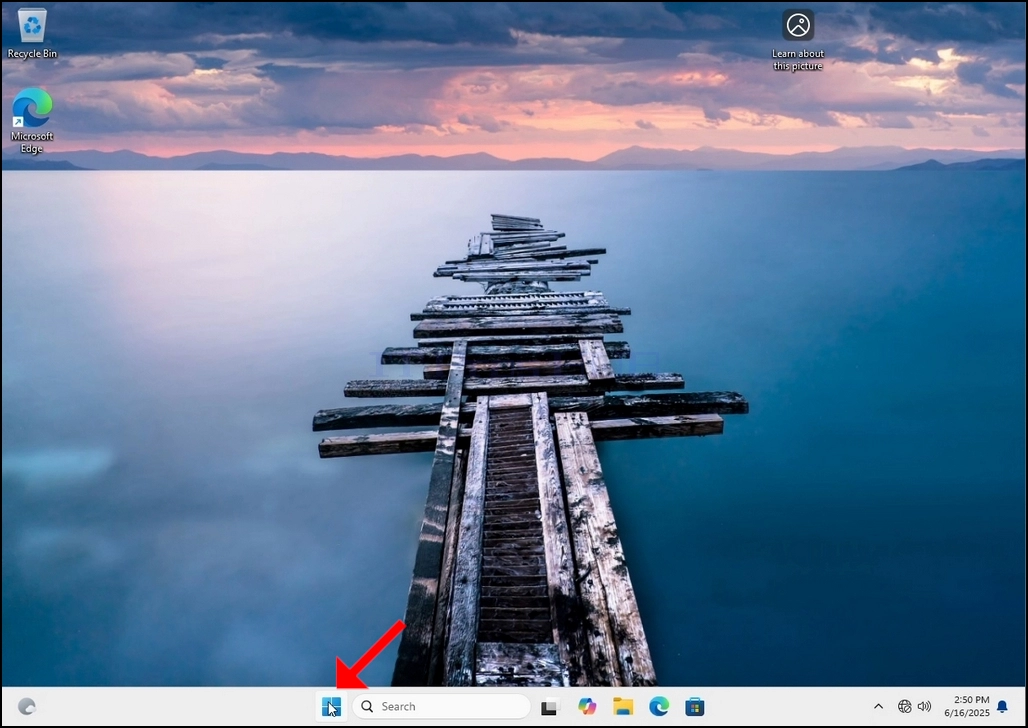
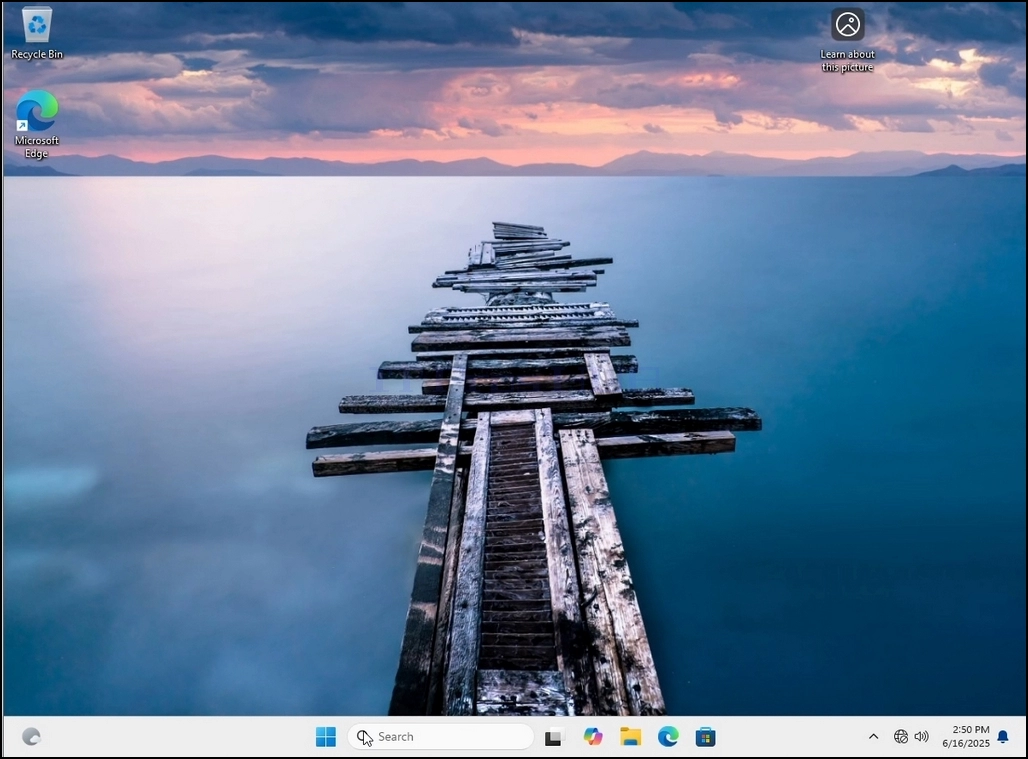
1. Go to Windows Desktop
How_to_Rebuild_Indexing_in_1867.jpg

 2. Click Start

How_to_Rebuild_Indexing_in_1868.jpg

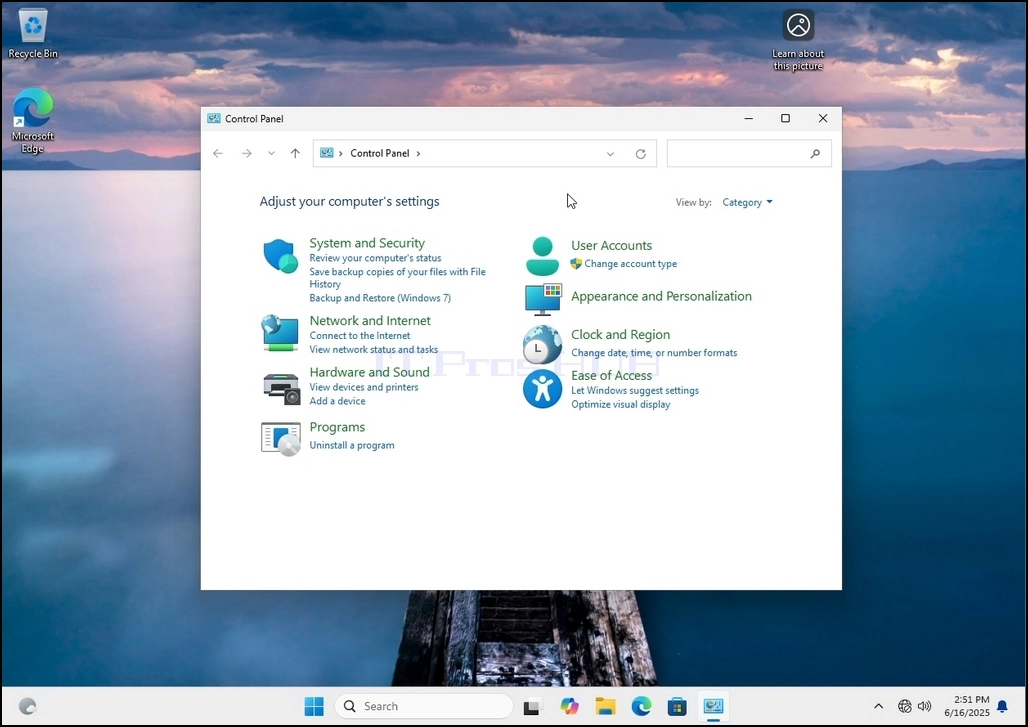
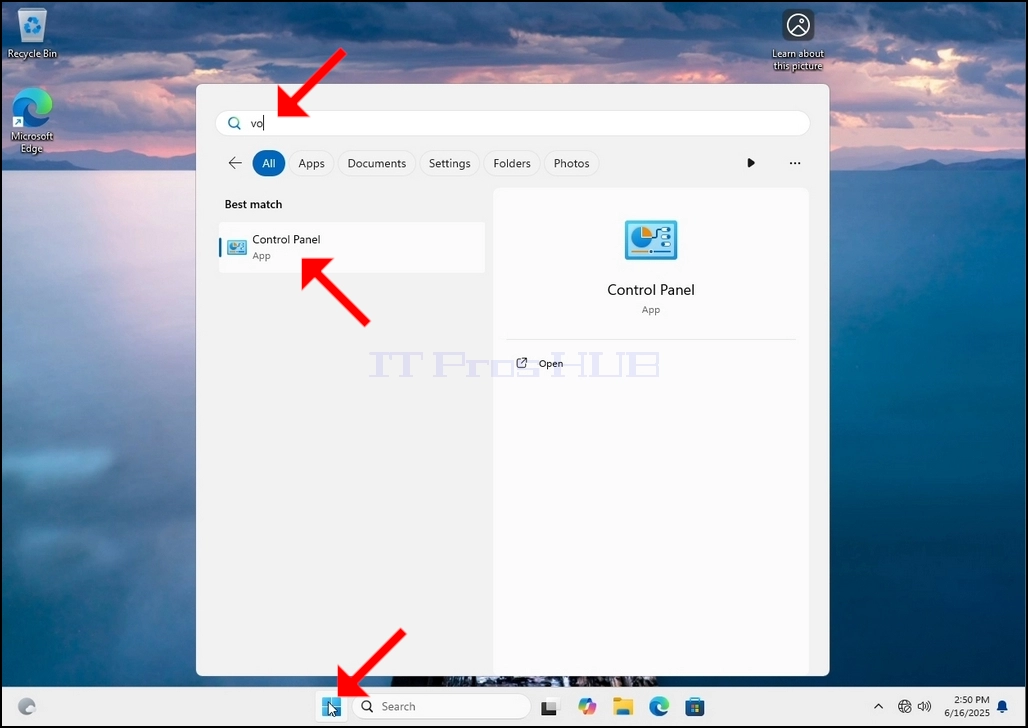
 3. After the start menu opens, type "control panel" and wait for the Start menu to find the Control Panel icon. Please note that it is possible to just type "cont" and in most cases the Start menu would still find the Control Panel icon.

Once it finds it, click it and wait for the Control Panel window to appear.
How_to_Rebuild_Indexing_in_1870.jpgHow_to_Rebuild_Indexing_in_1872.jpg

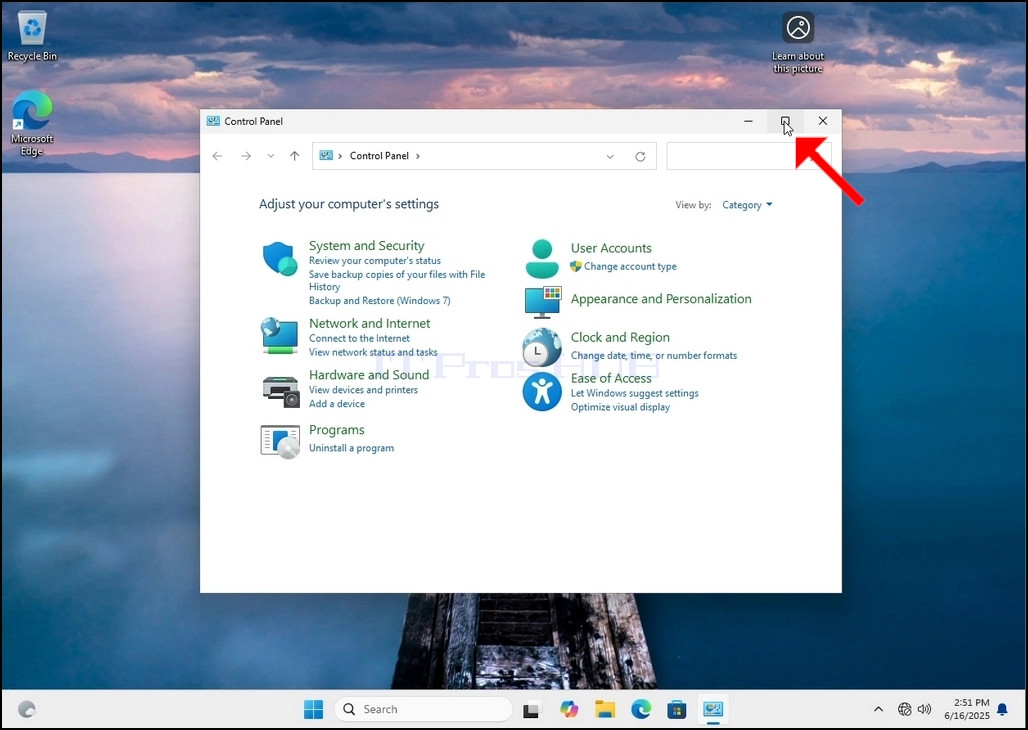
4. Once the Control Panel window is open, enlarge it by clicking the enlarging icon on the top right corner of that window.
How_to_Rebuild_Indexing_in_1873.jpg

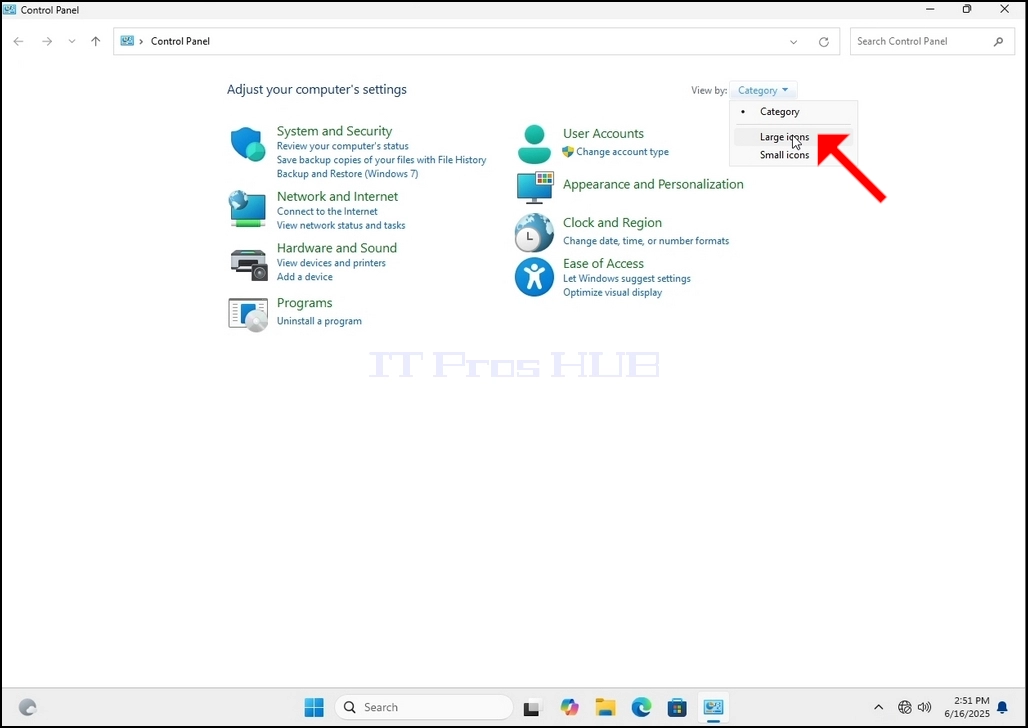
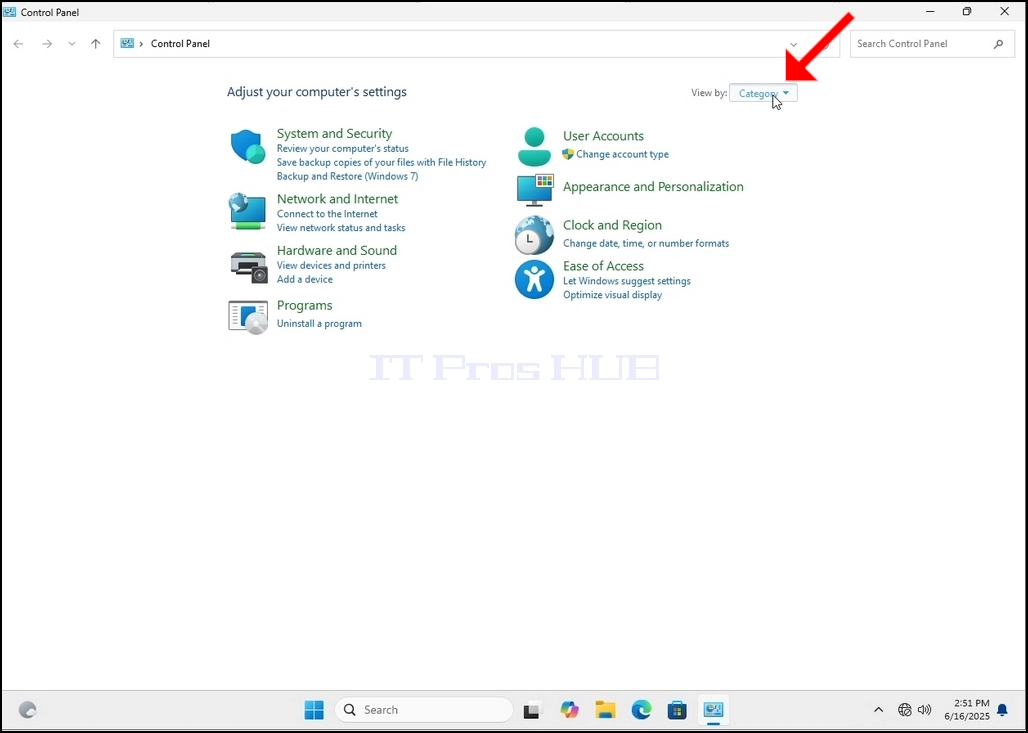
5. To make navigation easier, click Category on the top right side of the Control Panel window and choose "Large Icons" from the small new menu that appears.

How_to_Rebuild_Indexing_in_1874.jpgHow_to_Rebuild_Indexing_in_1875.jpg

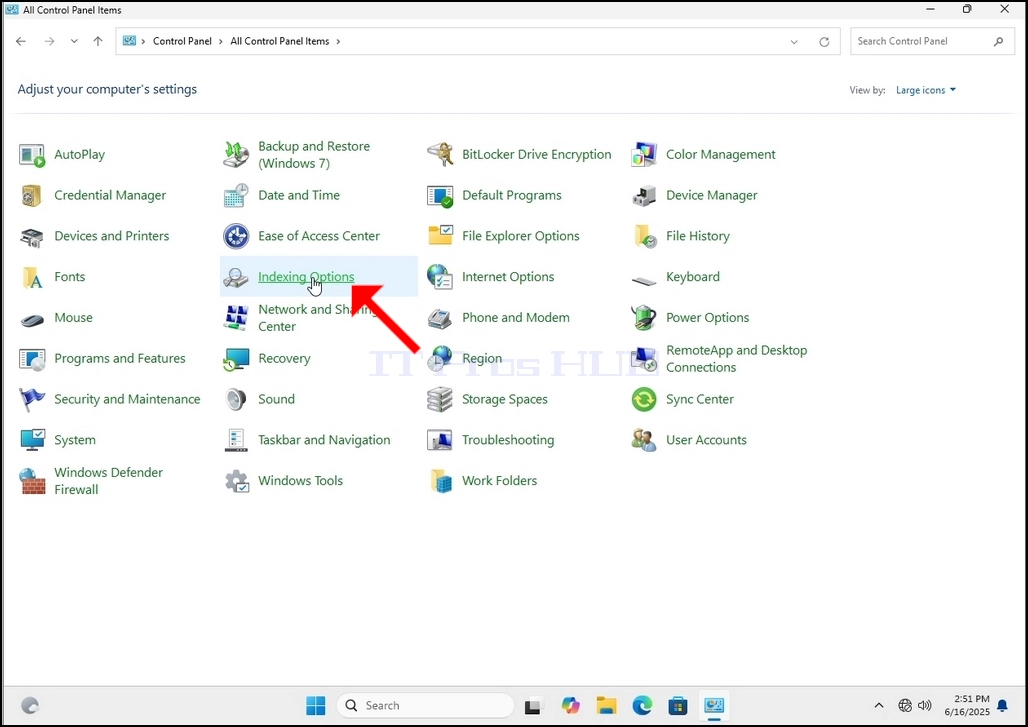
6. Look for the Indexing Options icon and click it. Wait for the Indexing Options window to appear.
How_to_Rebuild_Indexing_in_1876.jpg

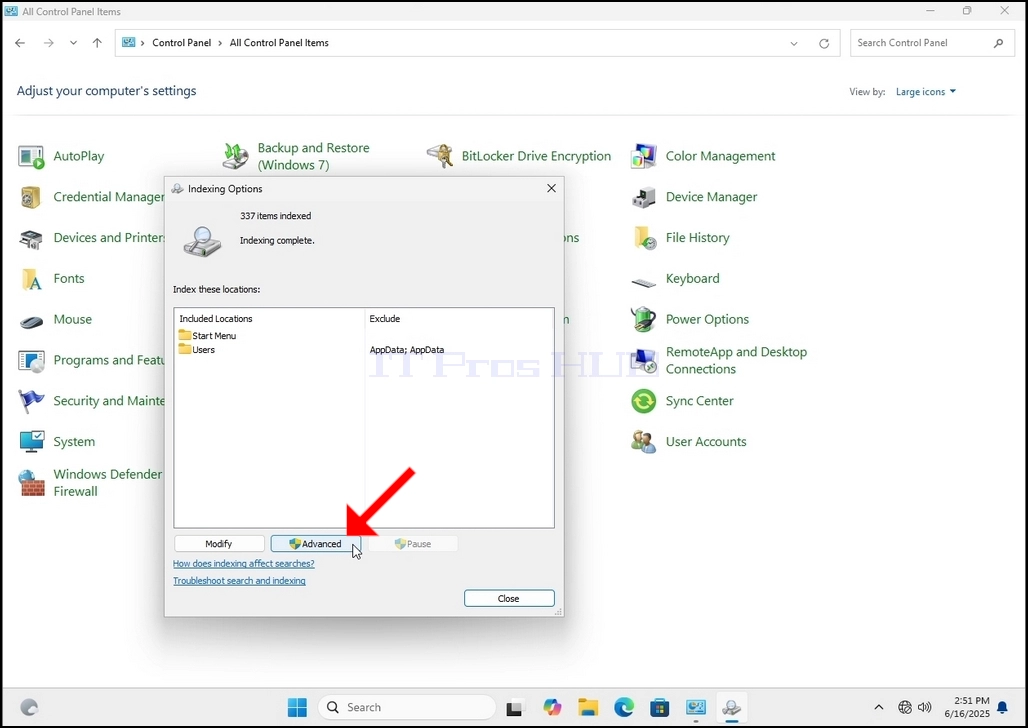
 7. Once the Indexing Options window is open, click the Advanced button at the bottom of that window.

How_to_Rebuild_Indexing_in_1877.jpg

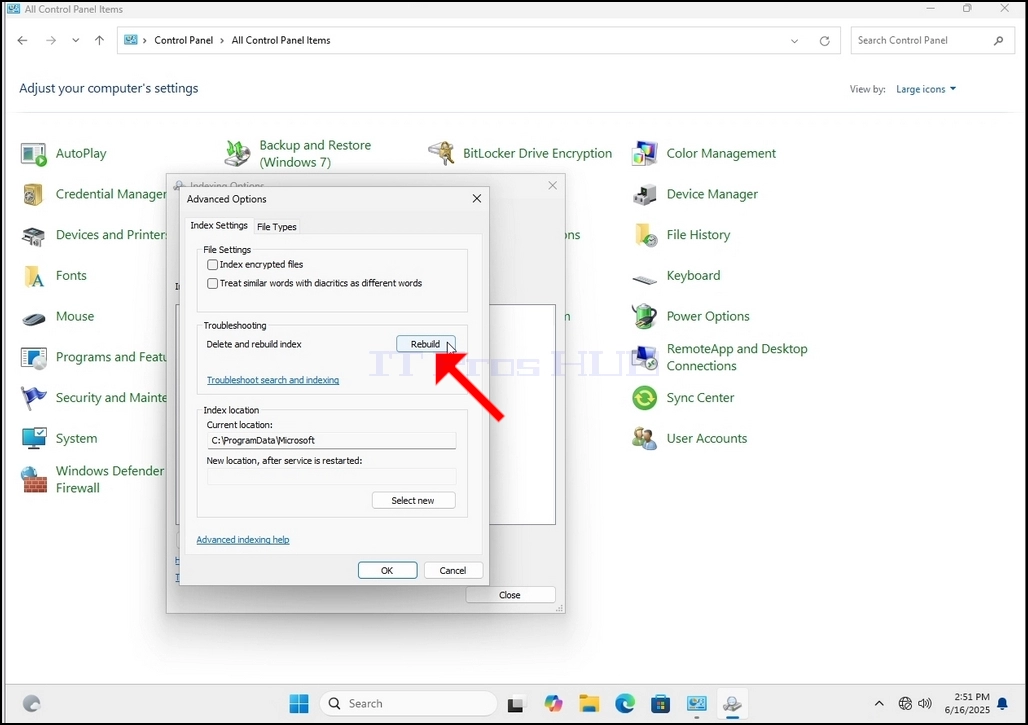
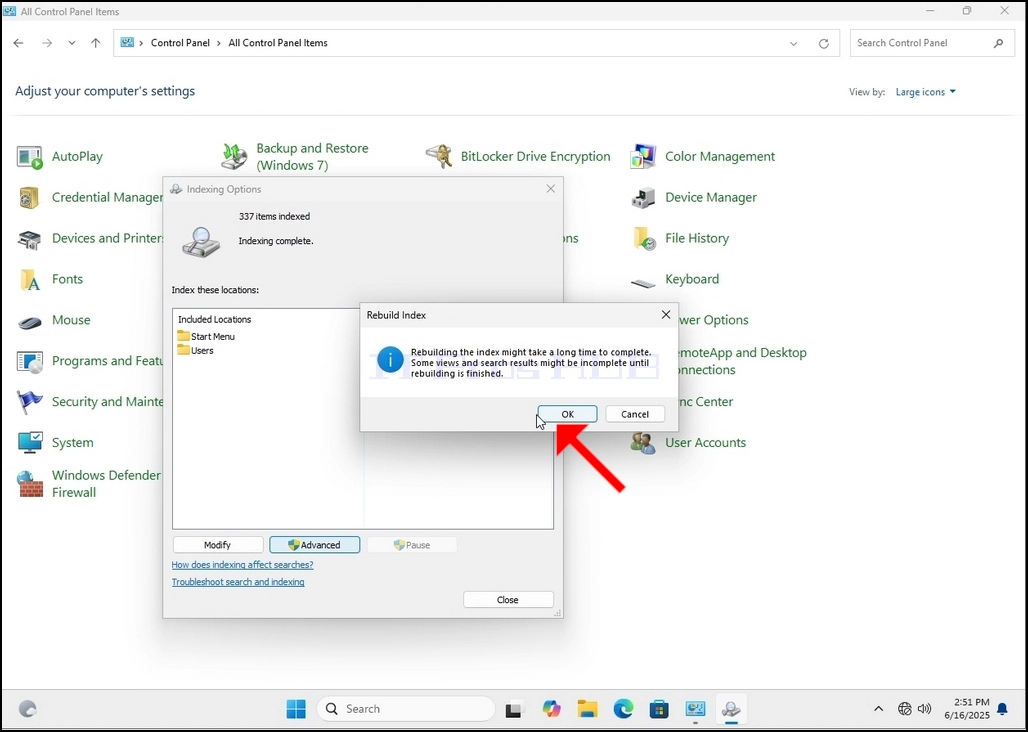
8. In the new window, look for the Rebuild button and click it. Afterwards a confirmation box will pop up. Click the OK button in it to start rebuilding the index.

How_to_Rebuild_Indexing_in_1878.jpgHow_to_Rebuild_Indexing_in_1879.jpg

9. After clicking OK in the confirmation box, Windows will start rebuilding its index. It might take some time for the actual process to start, Wait patiently a few seconds to a few minutes. The moment the process starts, the "Indexing Complete" sentence will be replaced with "Indexing in progress. Search results might not be complete during this time."

In addition, the number of items indexed will be reset to 0 for a moment and then start to increase.

Note that All of the wi