



- Základní údaje
- Napsal IT Pro
- Kategorie: How to Articles
- Zobrazení: 5375
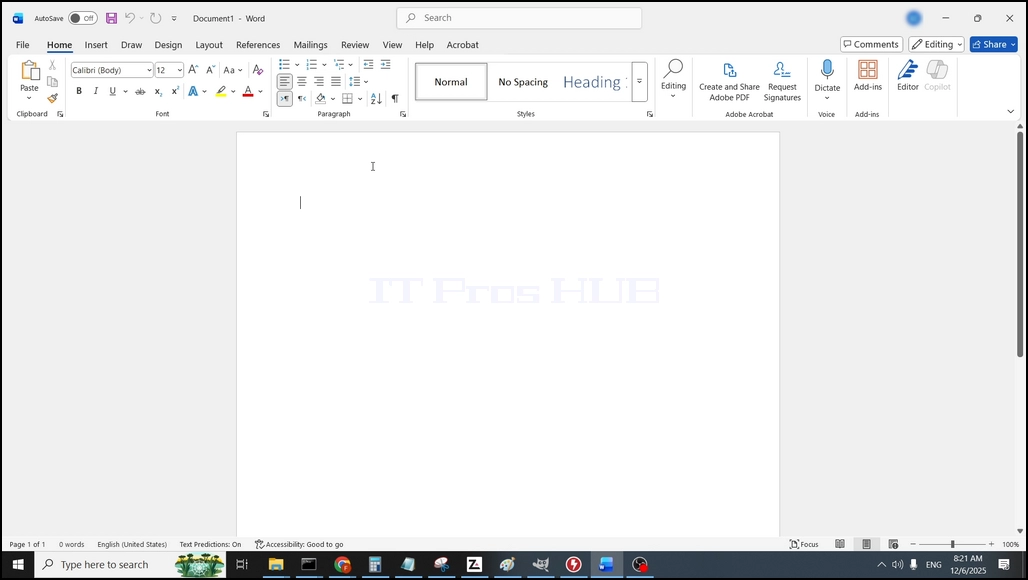
1. Otevřít Microsoft Word
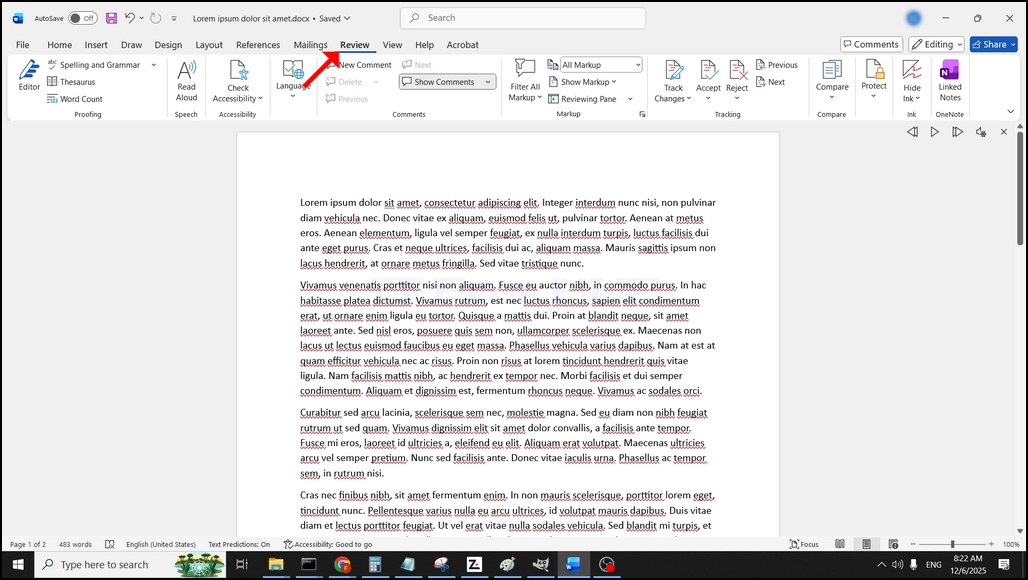
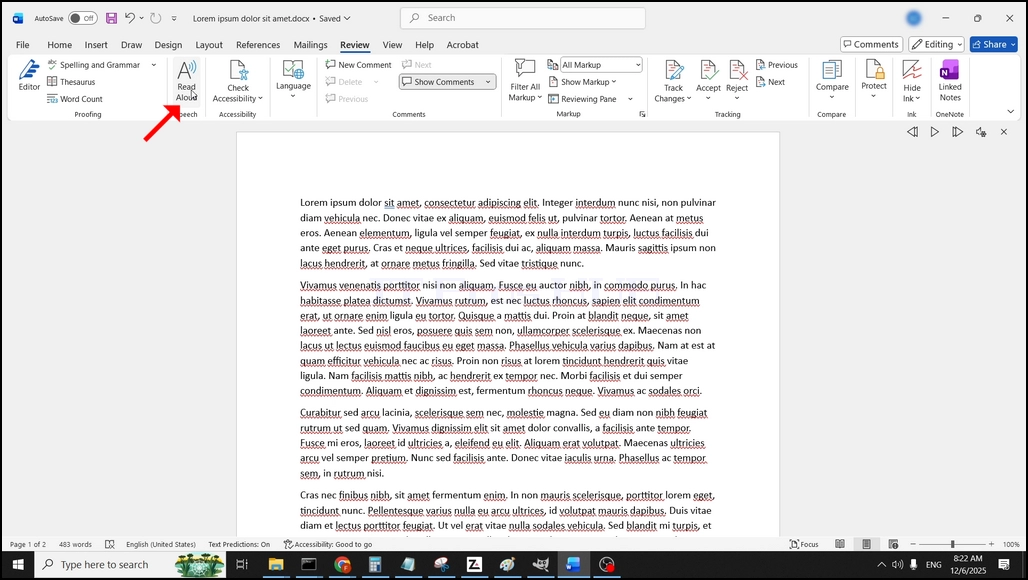
3. V rámci Recenze, podívejte se na velký "A"ikona, která říká"Čtěte nahlas"a klikněte na něj pro aktivaci funkce Slova na text:
- Základní údaje
- Napsal IT Pro
- Kategorie: How to Articles
- Zobrazení: 5743
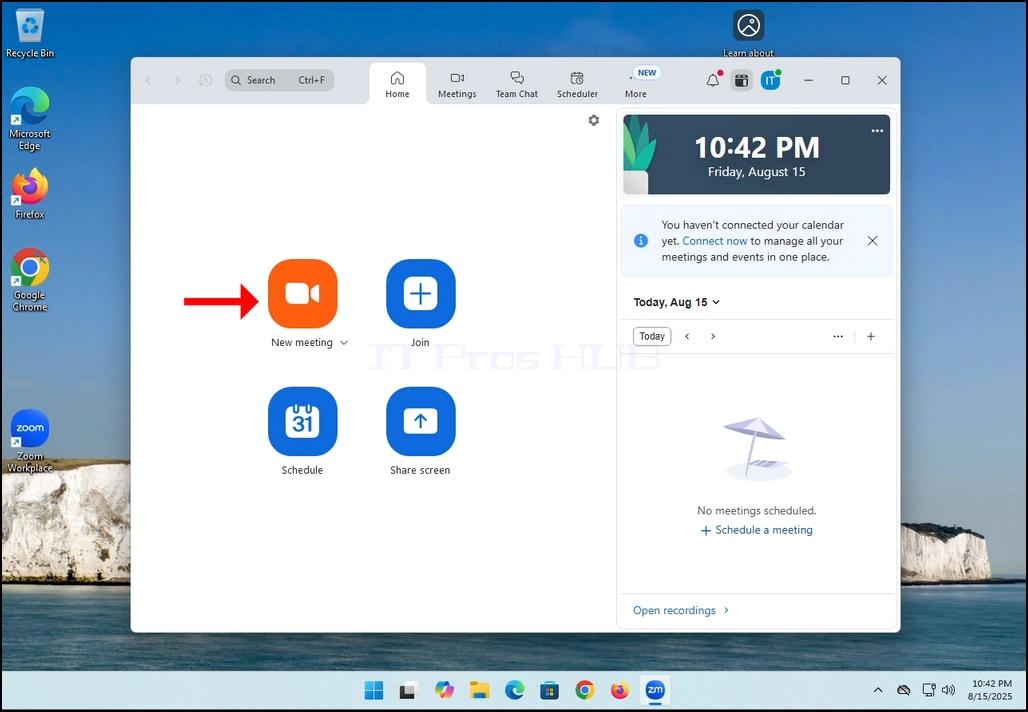
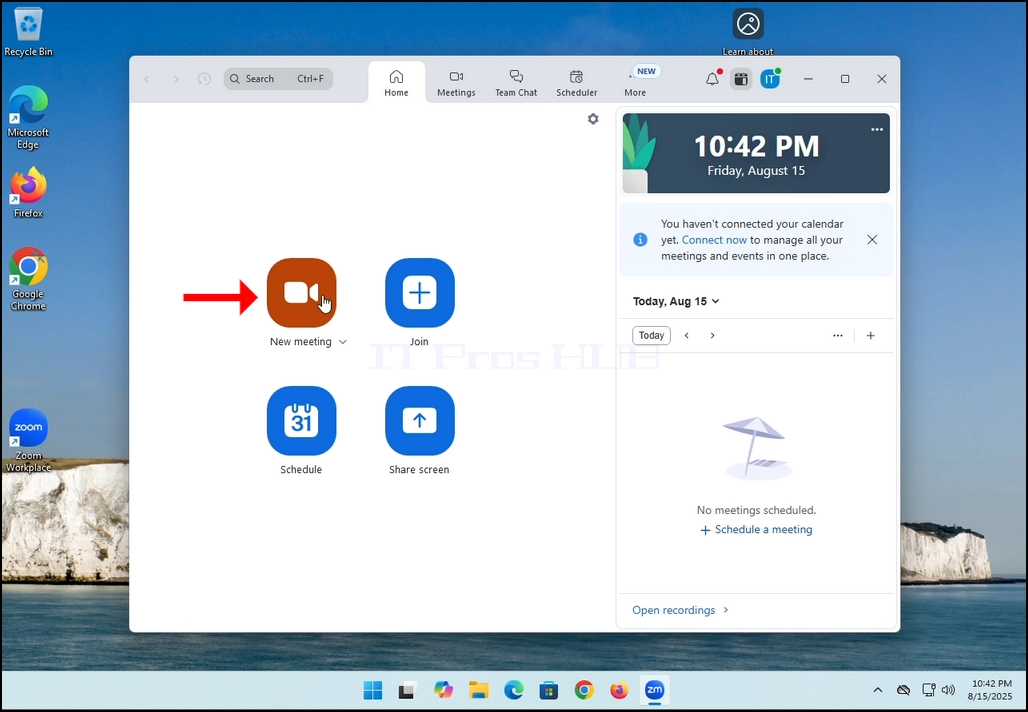
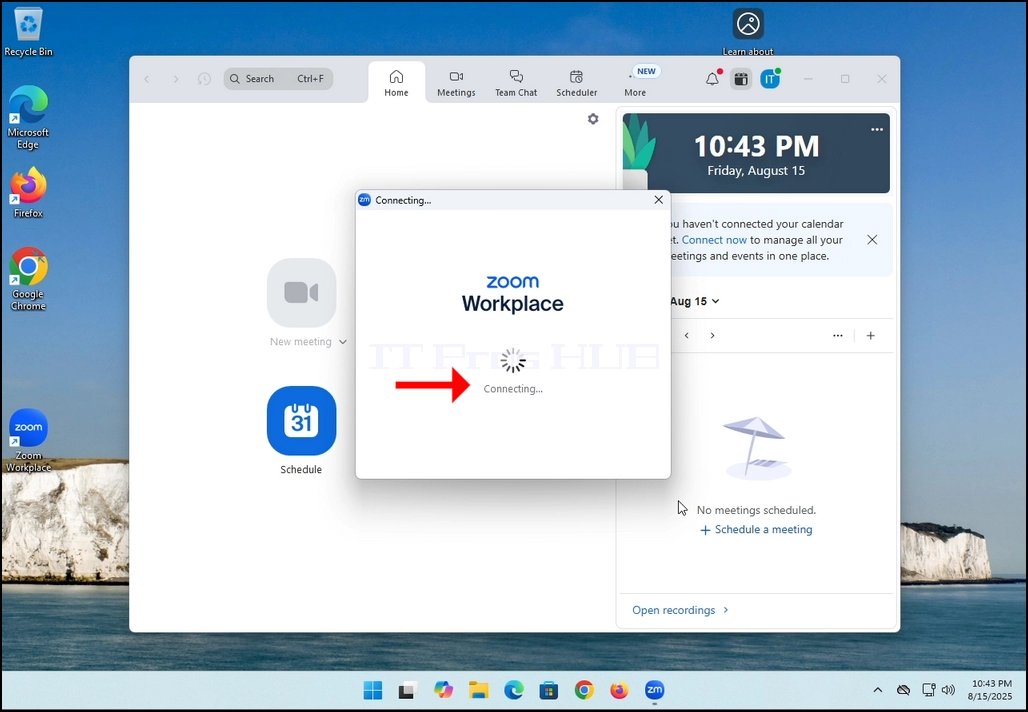
2. Once clicked, a new small window should appear. The window will show "connecting" and an animation progress circle.
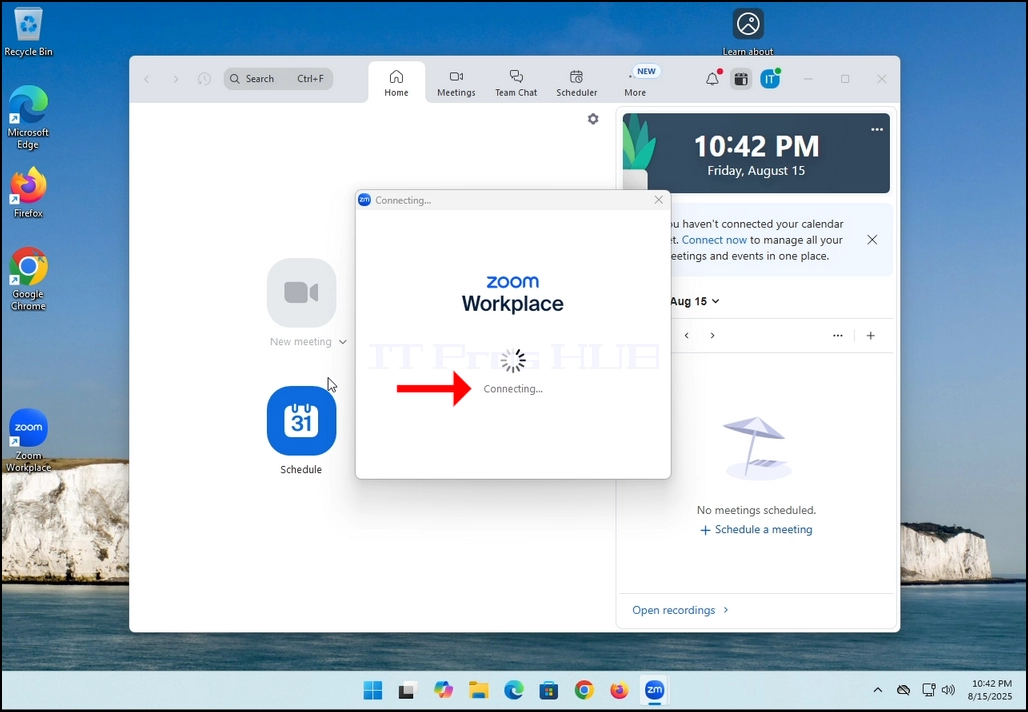
3. Once it's done loading, a new window will appear. Usually its title should say something along the lines of: "User's Zoom Meeting". In this article's case, it says "IT Proshub's Zoom Meeting" since the user that uses Zoom is called that way.
4. Here, you can mute your mic by clicking on the mic icon and you can also turn your camera off/on by clicking the Video icon.
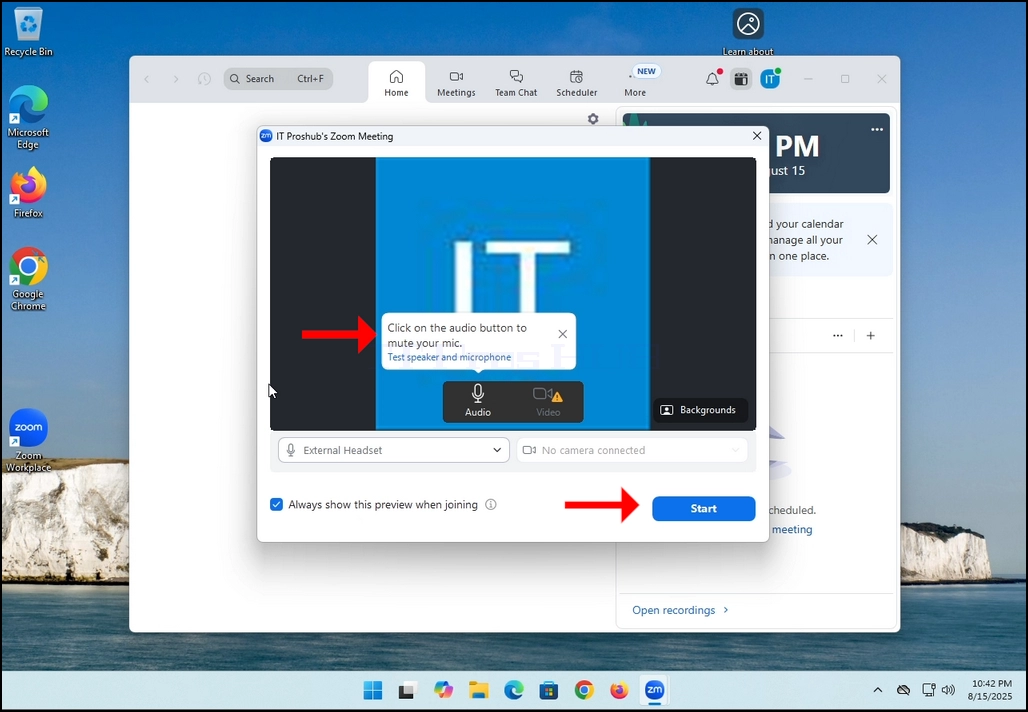
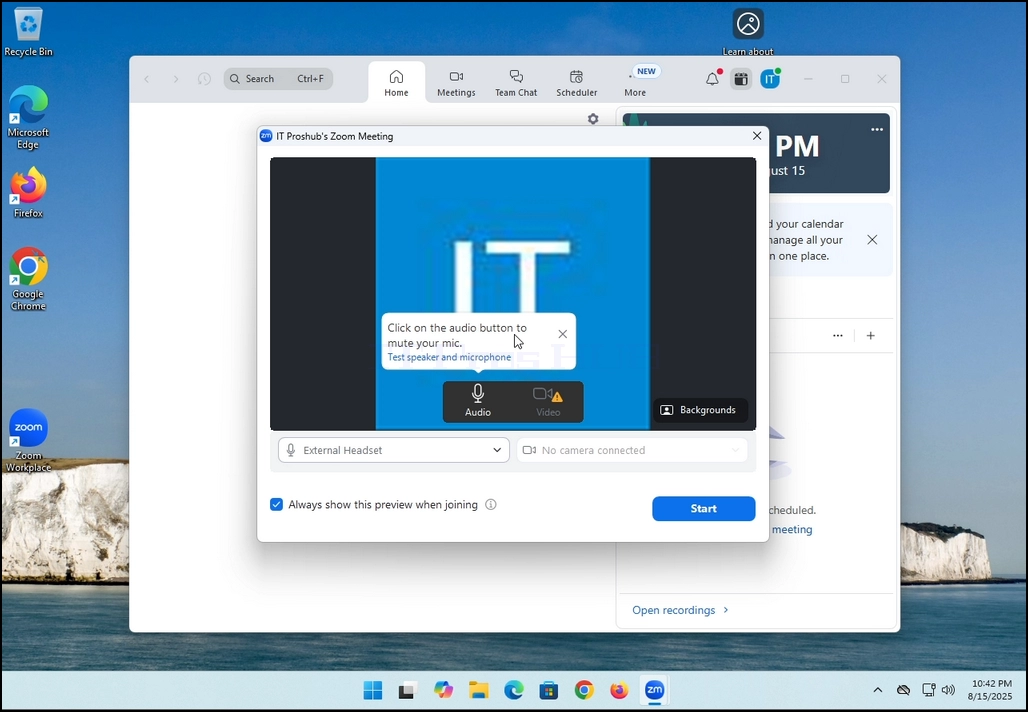
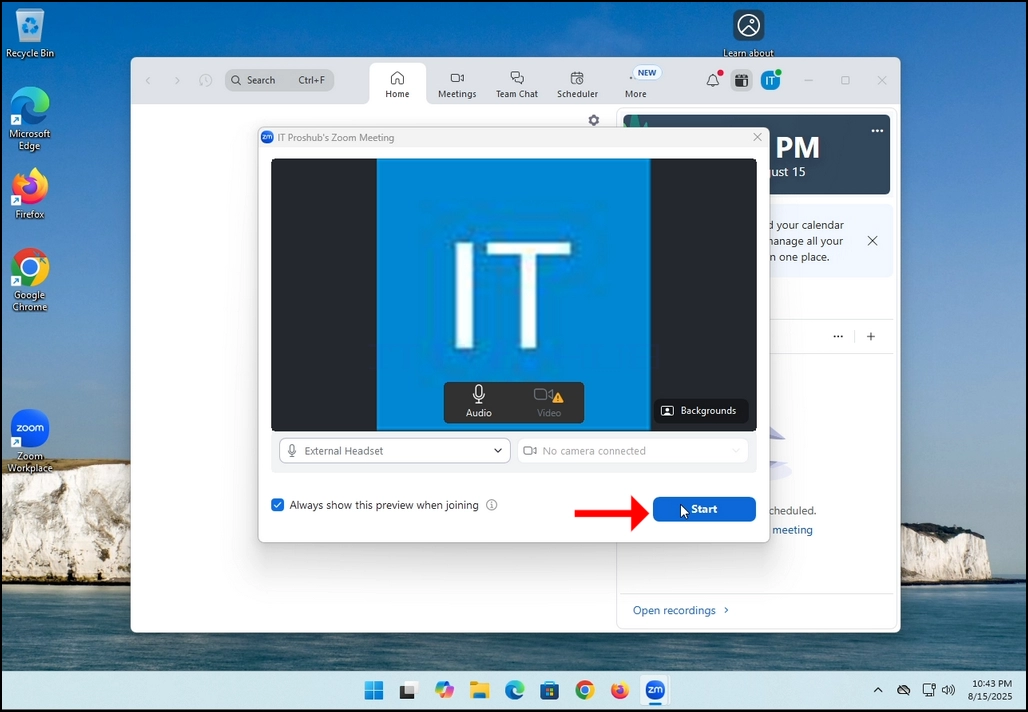
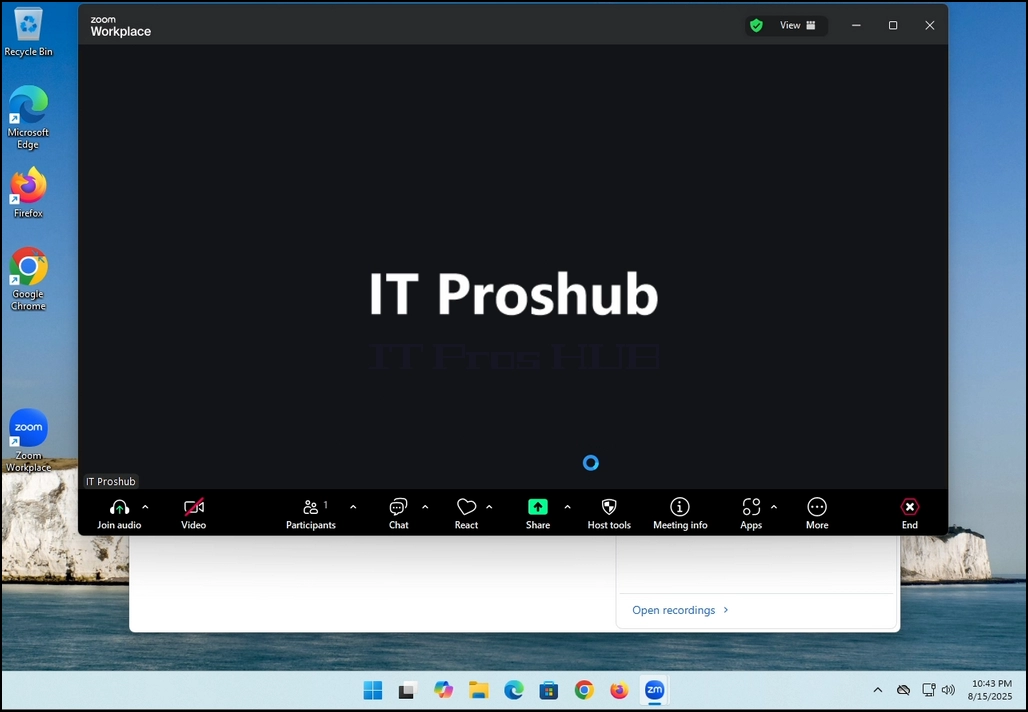
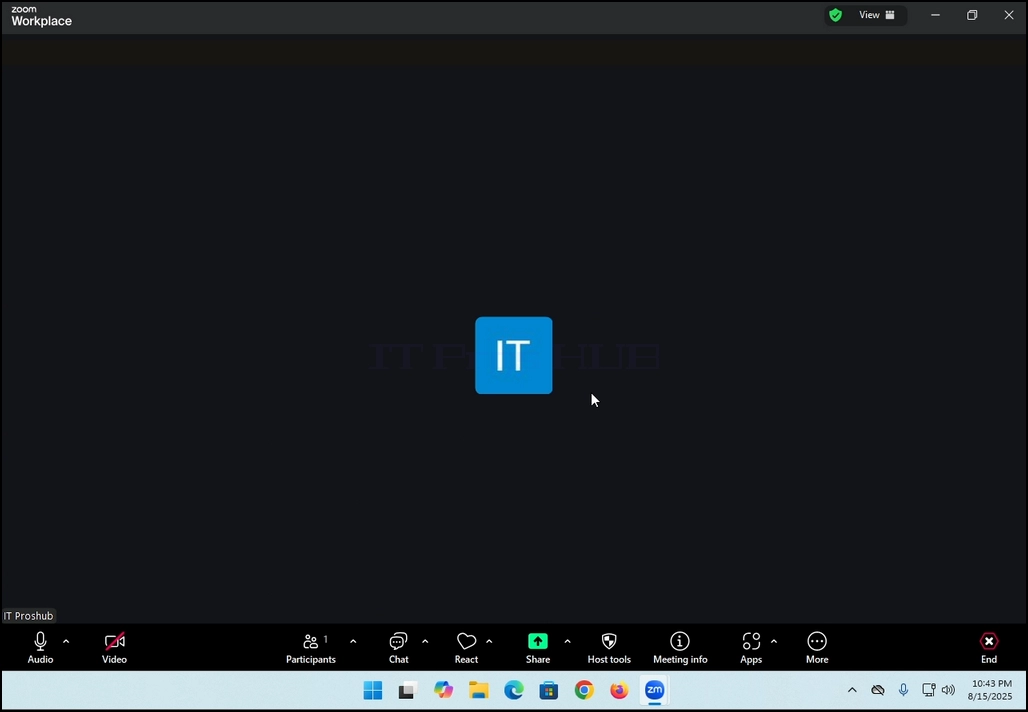
7. That's it! the new meeting is in progress. At this stage the meeting contains only the host which is IT Proshub in this article's case.
- Základní údaje
- Napsal IT Pro
- Kategorie: How to Articles
- Zobrazení: 5431
In this article we will demonstrate how to delete a stripped volume in Windows 11
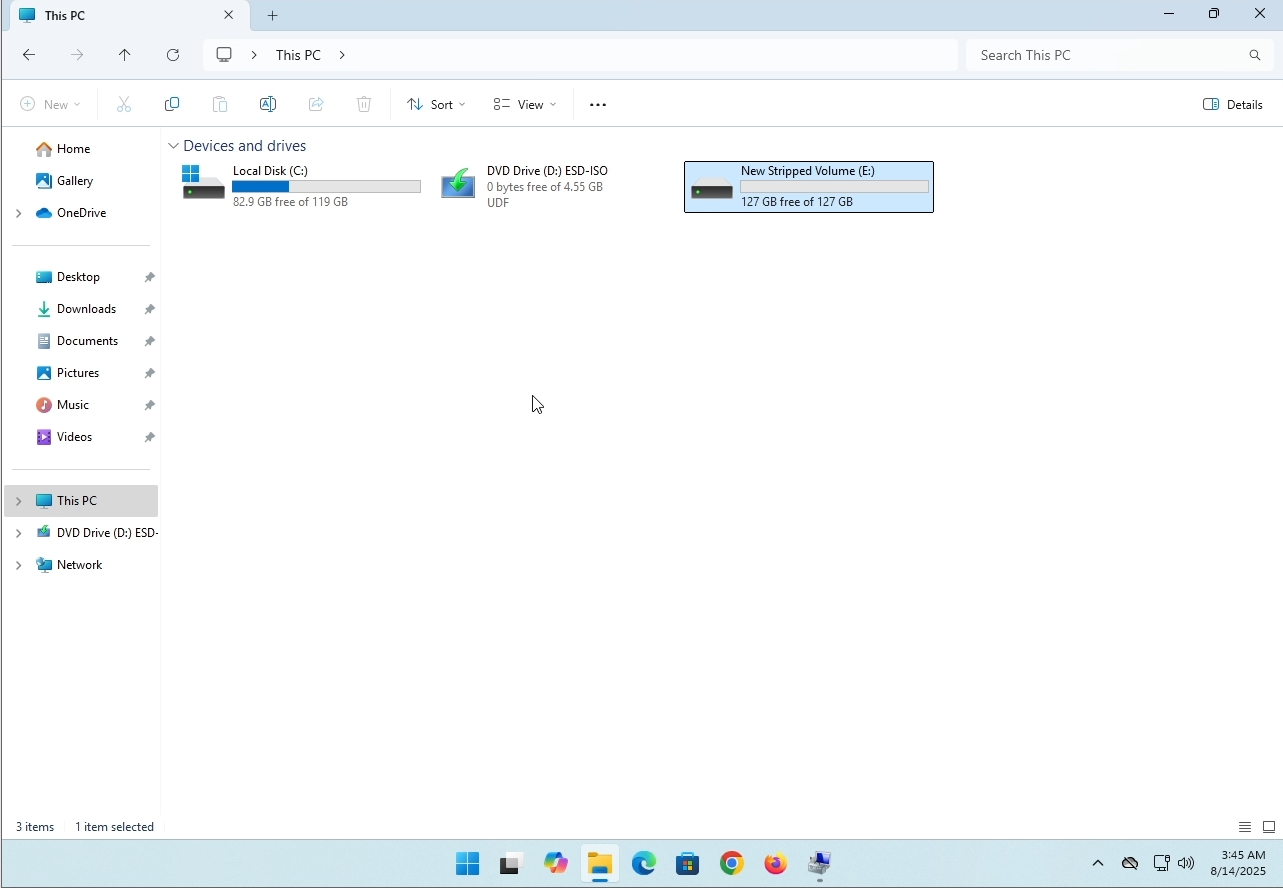
1. Make sure what is the stripped volume's drive letter is. In this case the drive letter is (E:):
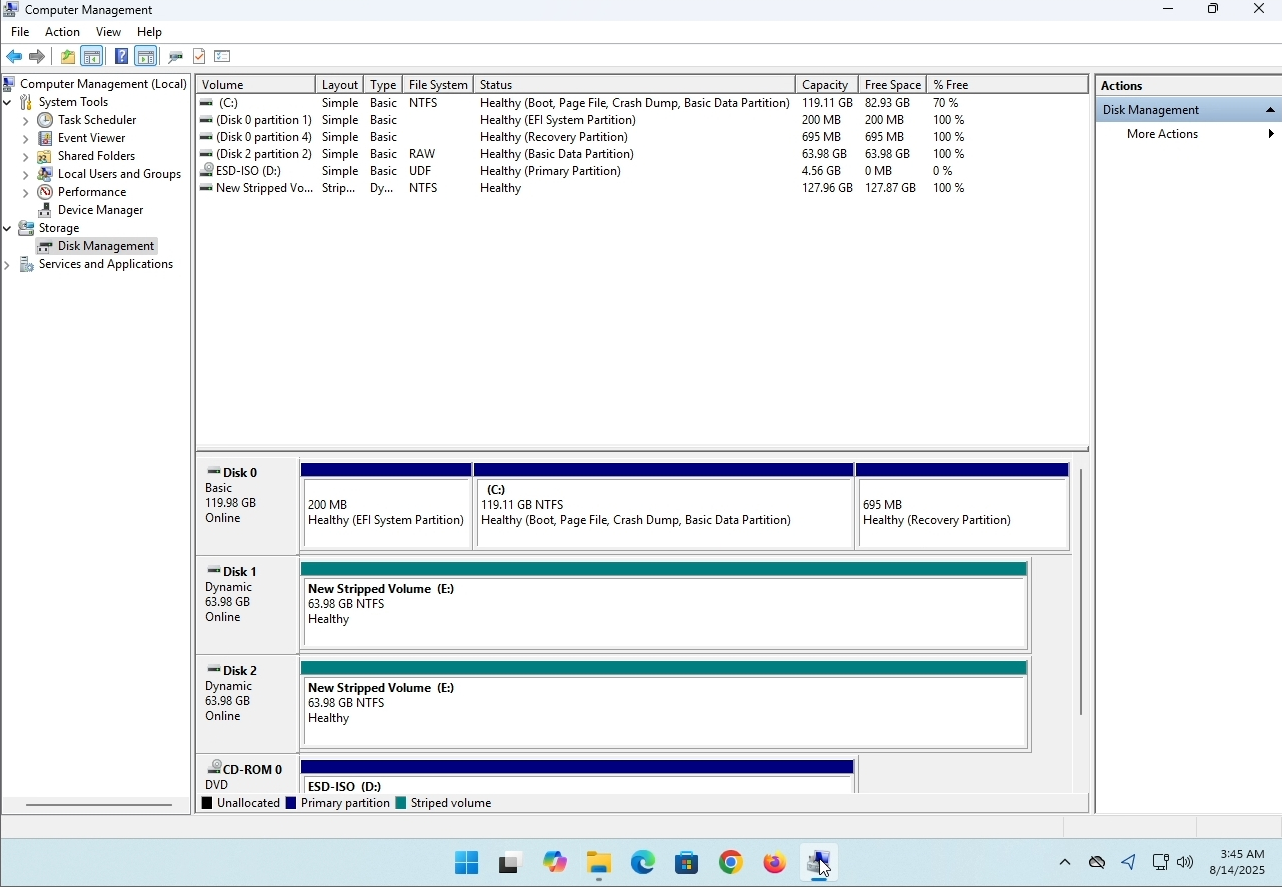
3. On the left pane. Look for Disk Management and click on it once.
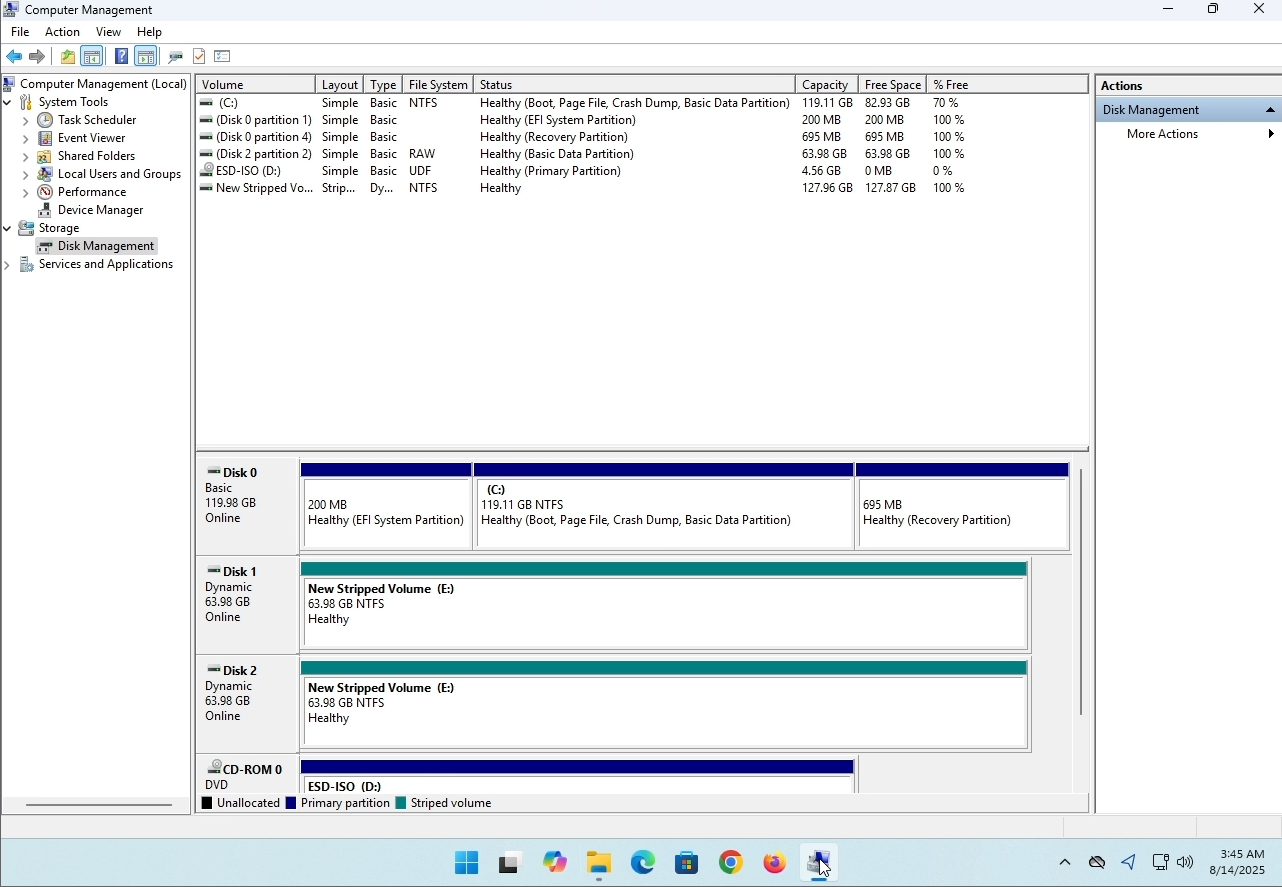
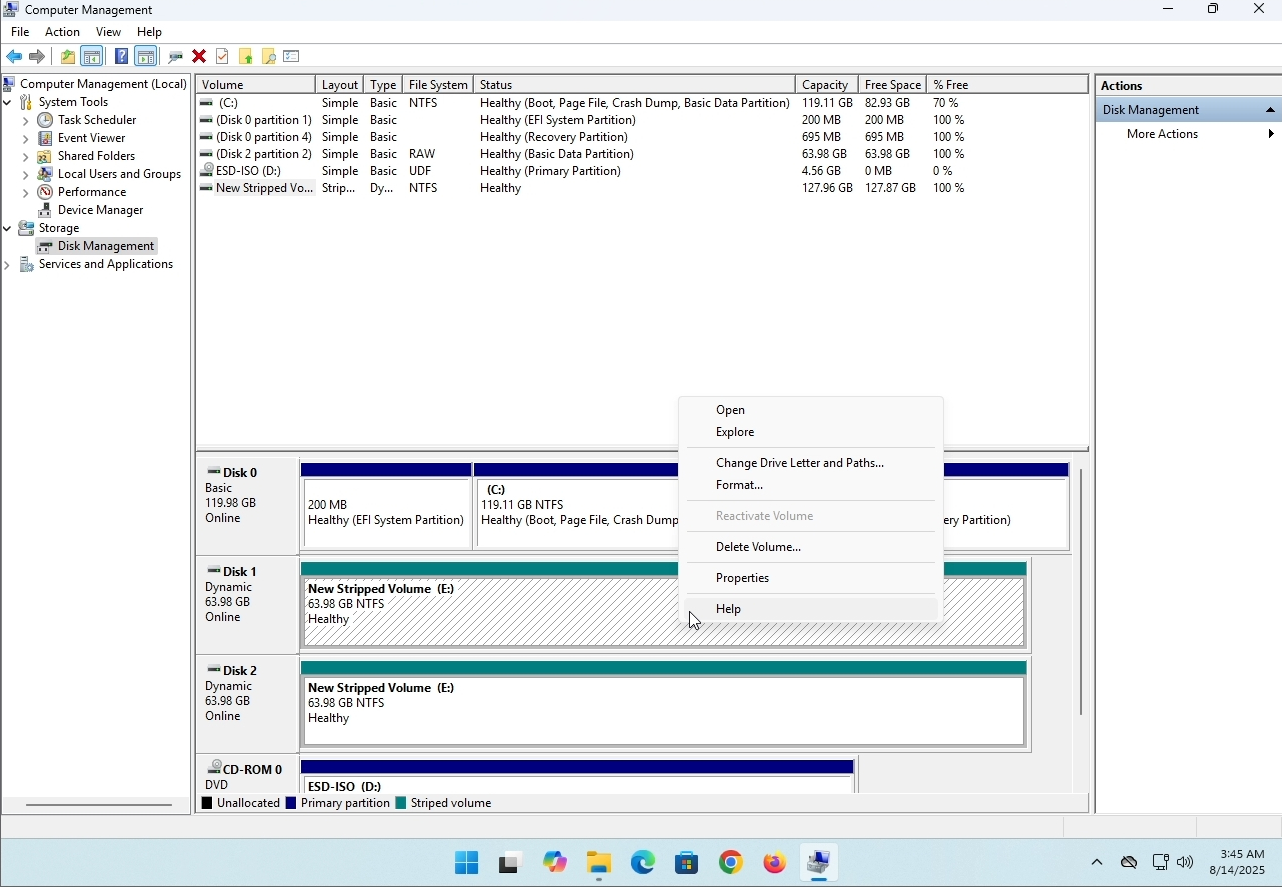
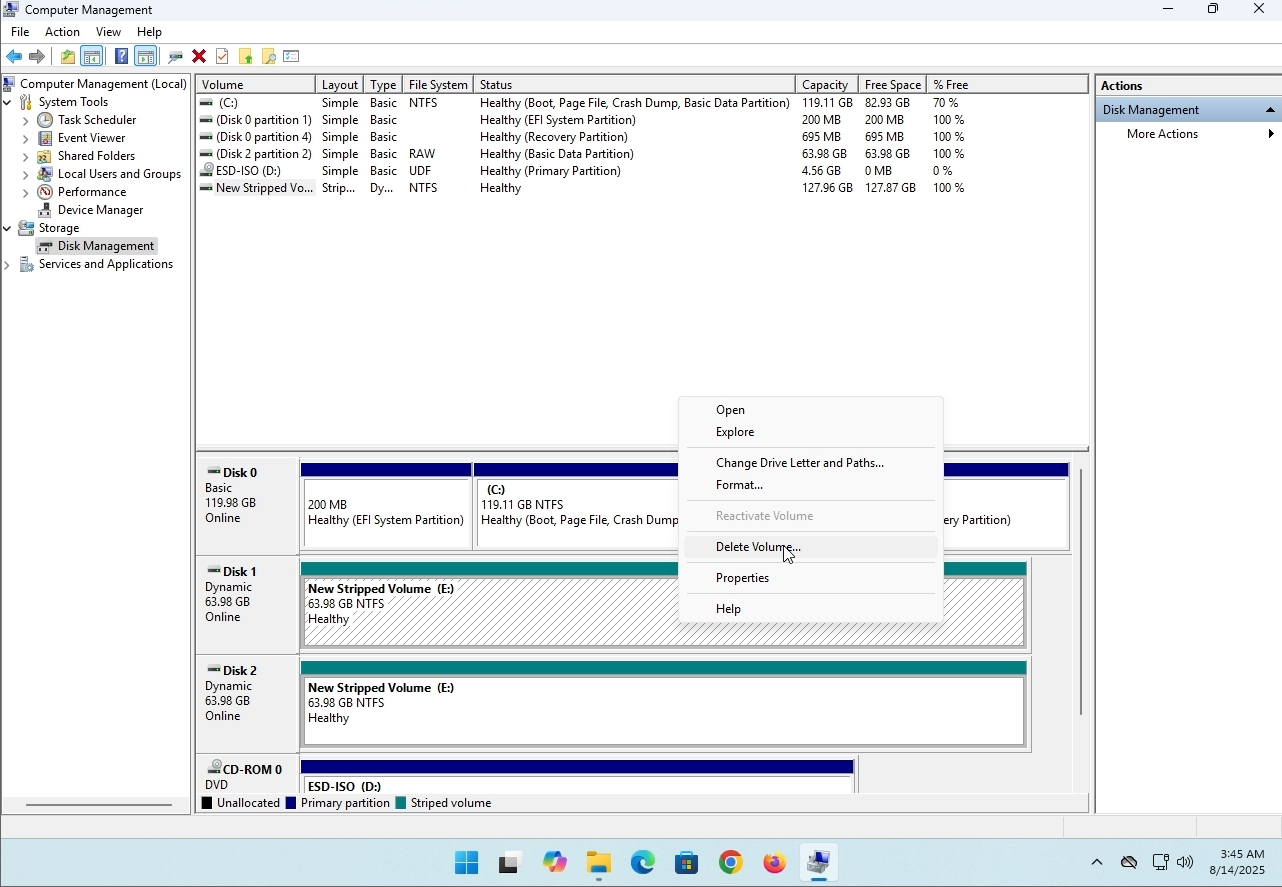
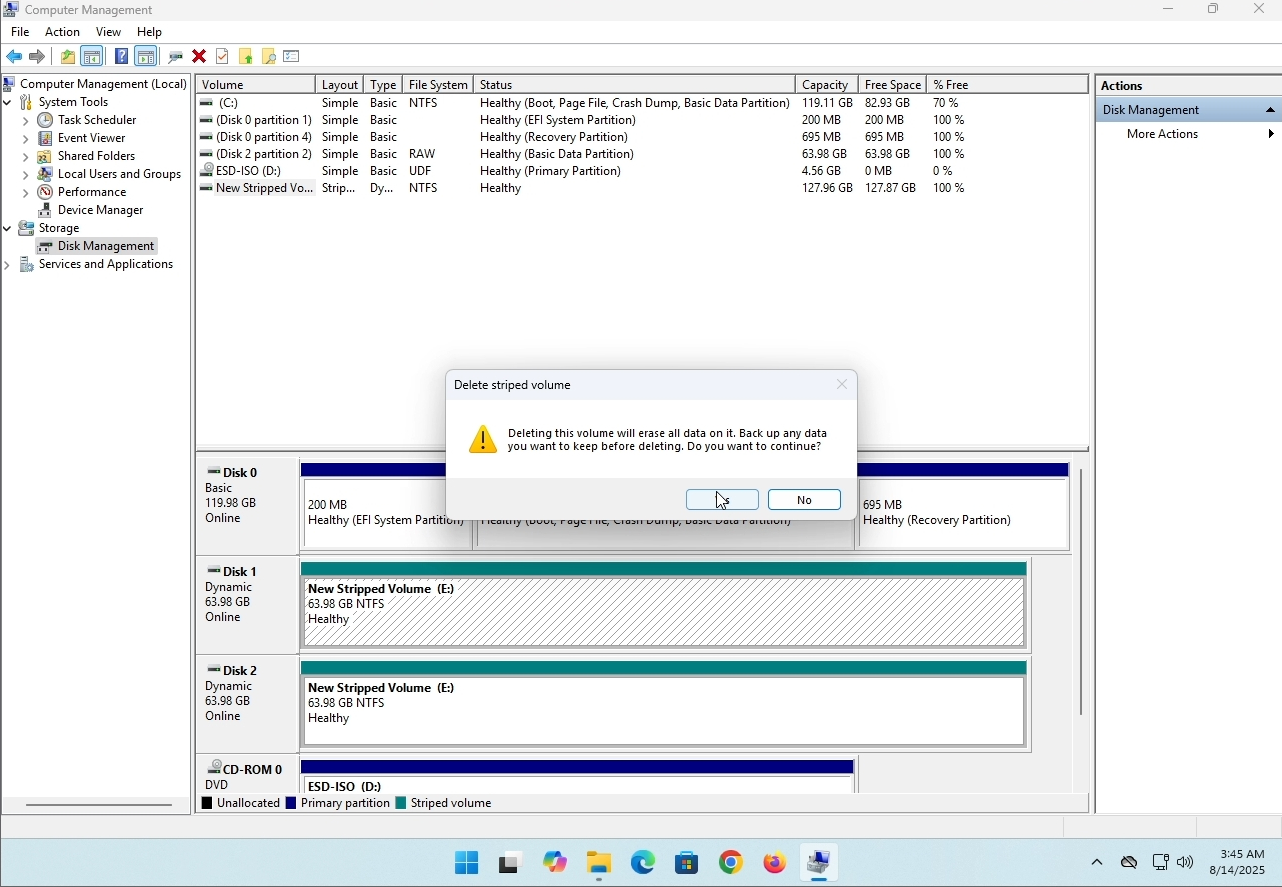
6. You will be shown a confirmation window. Click on Yes to confirm deleting the drive.
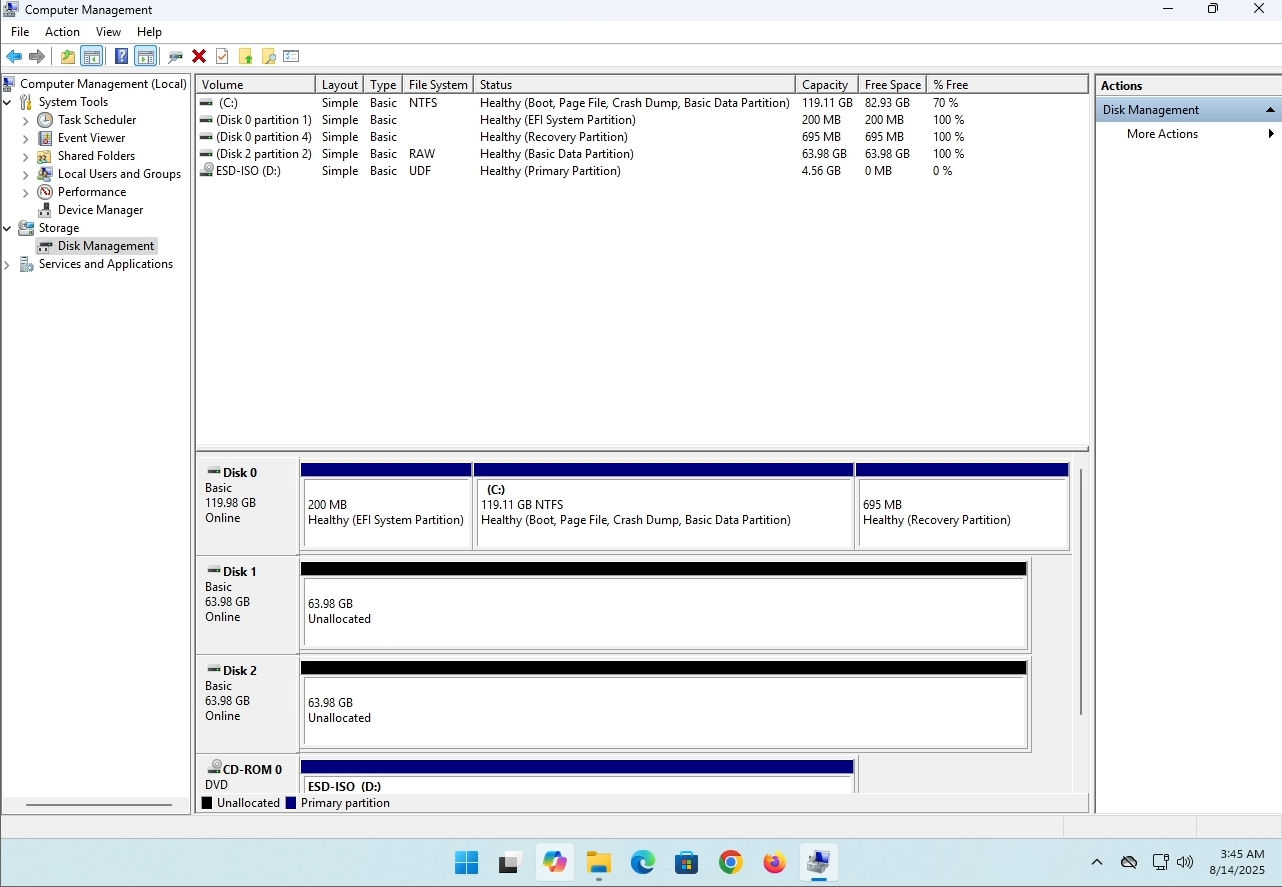
7. The drive is now deleted and the disks that were part of the stripped array are now unallocated.
- Základní údaje
- Napsal IT Pro
- Kategorie: How to Articles
- Zobrazení: 8243
Úvod:
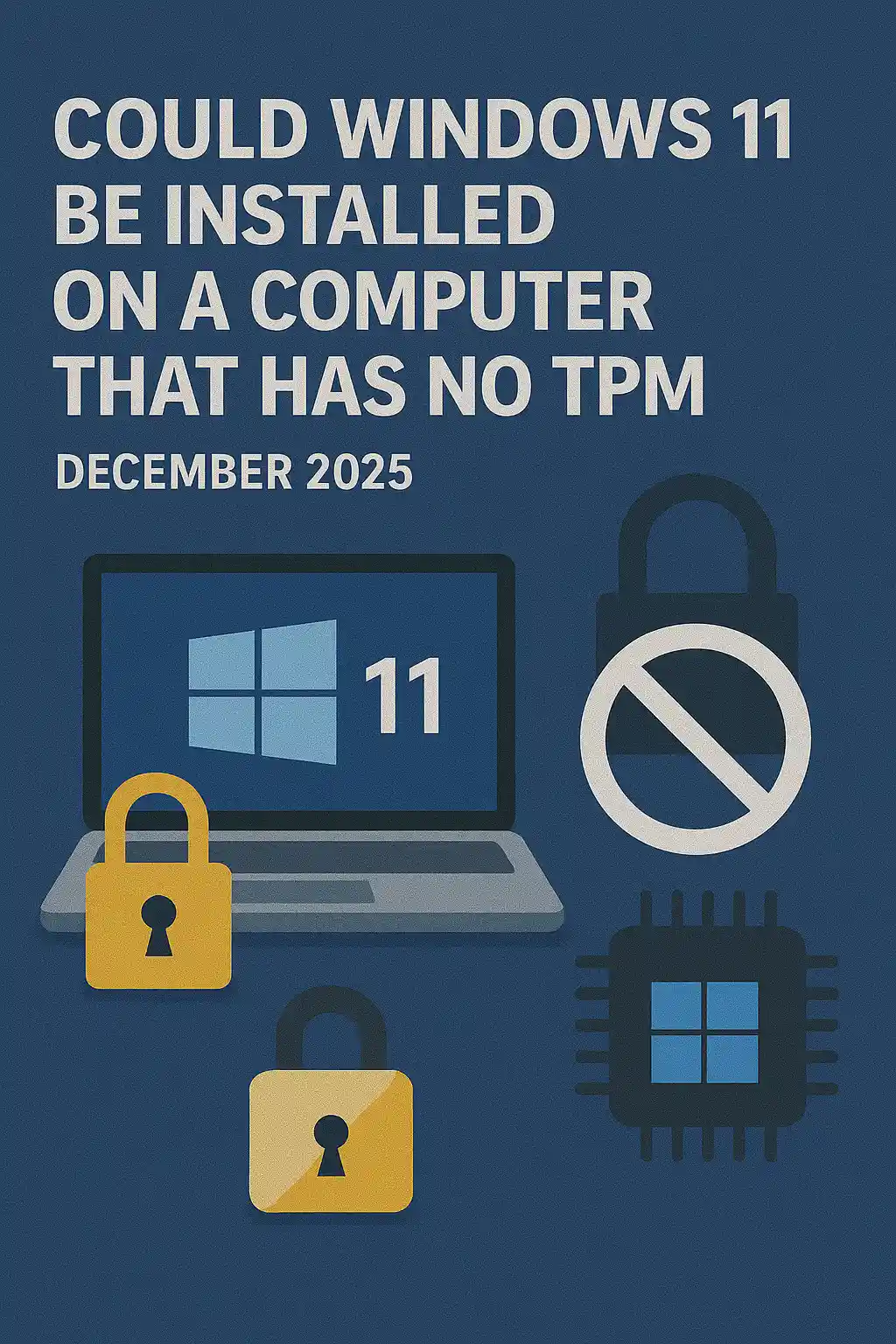
V tomto článku budeme zkoumat, zda Windows 11 může být nainstalován na počítači, který nemá žádný TPM čip.
Zkrátka: NE.
Windows 11 nelze nainstalovat na počítač bez minimálně TPM verze 2.0 čipu.
Níže je ilustrace pokusu o instalaci Windows 11 na takový počítač.
Verze Windows, která se pokusila nainstalovat, byla 24H2.
1. Zavedení do instalace Windows


2. Nastavení jazyka

3. Konfigurace instalační metody

4. Stadium klíče produktu


5. Výběr Windows 11 Pro


6. Kontrola PC fáze

7. Skříňka

Závěr:
Není tu moc co říct. Museli jsme to vidět na vlastní oči. O tomto tématu je velký rozhovor a zdá se, že v tomto případě drží vodu. Instalation- wise - Windows 11 nelze nainstalovat na počítač nebo systém bez TPM verze 2.0 čipu.
To neznamená, že Windows 11 nemůže být spuštěn na uvedeném systému. Pro více informací navštivte náš článek: Viz poznámka pod čarou1.
- Základní údaje
- Napsal IT Pro
- Kategorie: How to Articles
- Zobrazení: 7282
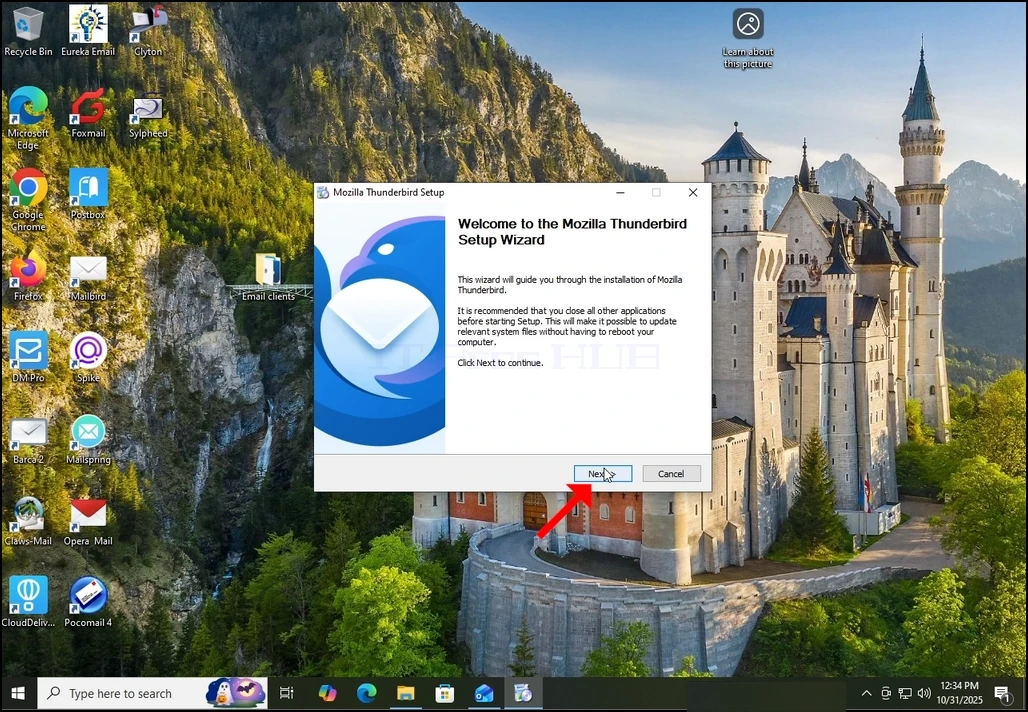
1. Zahájit instalaci Thunderbird kliknutím na jeho soubor nastavení
2. Na uvítací obrazovce klikněte na NEXT.
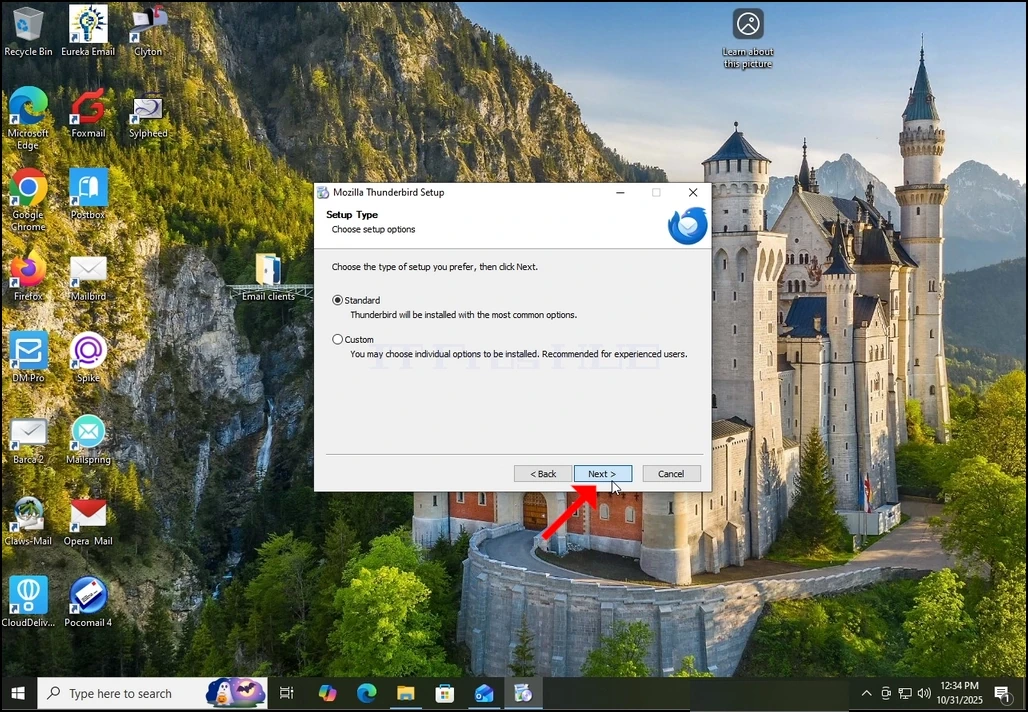
3. Vyberte možnost Standard a klepněte na tlačítko NEXT.
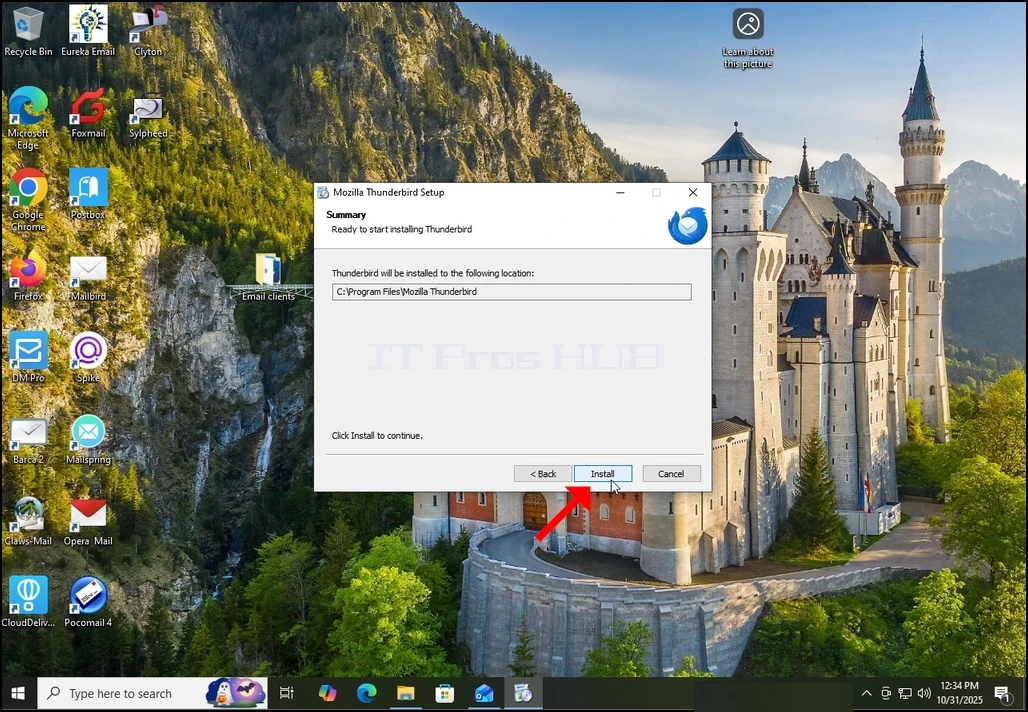
4. Klikněte na tlačítko Install.
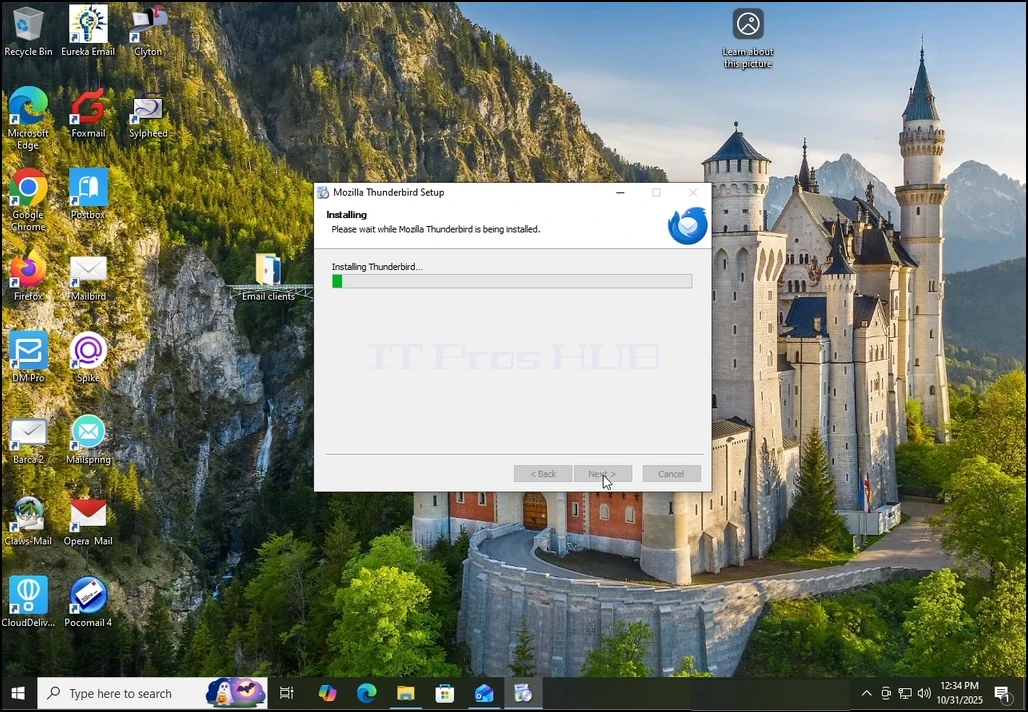
5. Vyčkejte trpělivě až proces instalace skončí
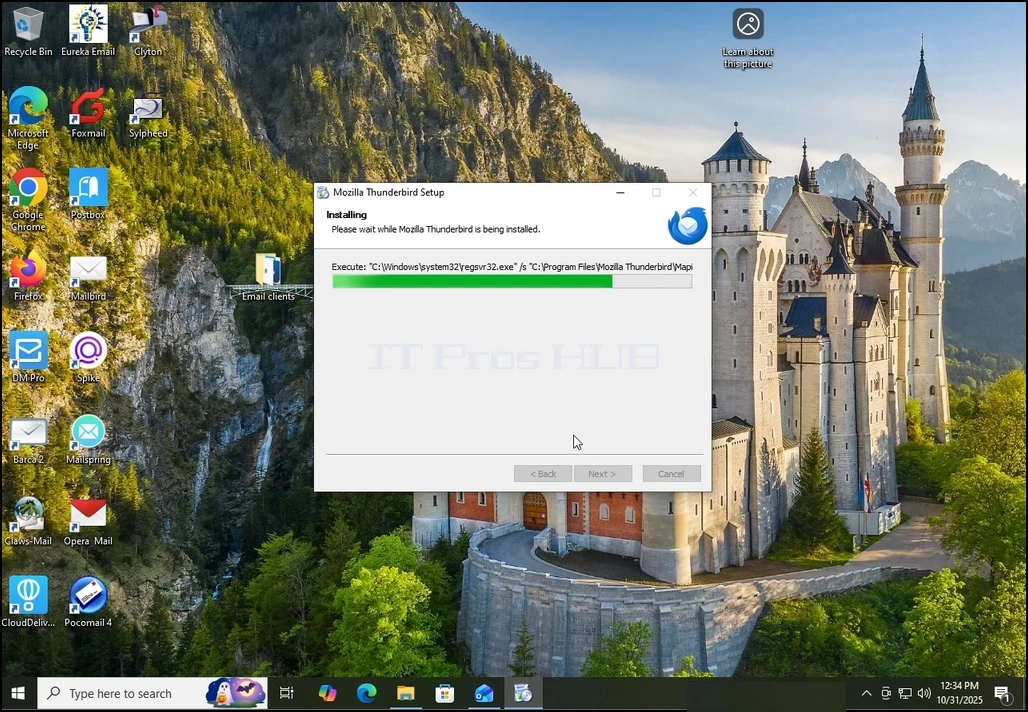
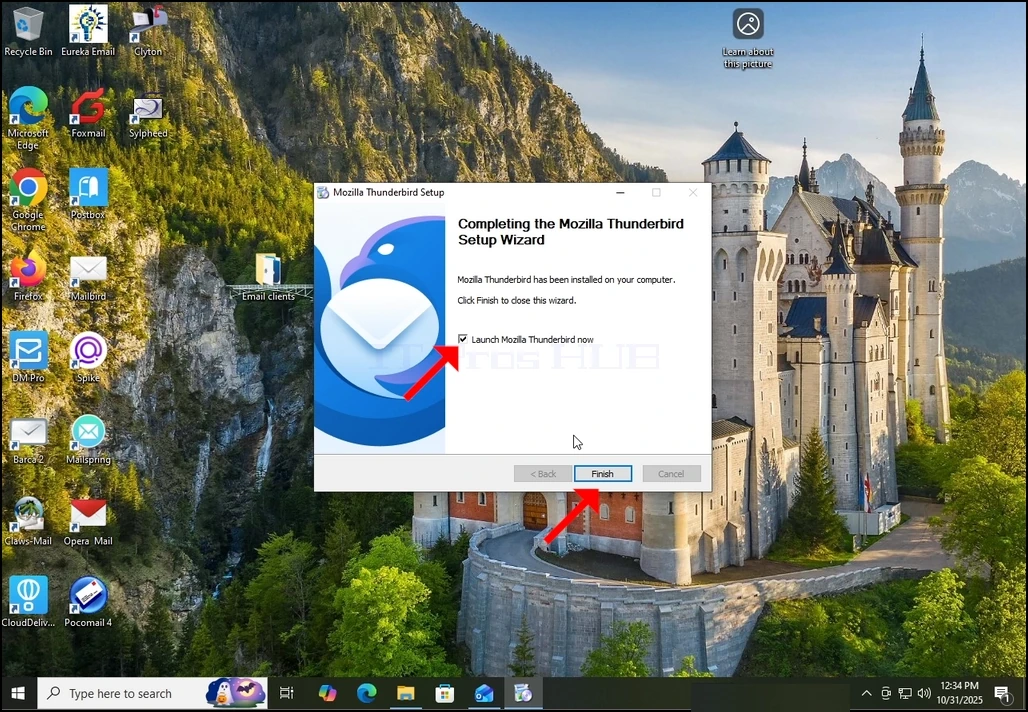
6. Zrušte možnost Start Mozilla Thunderbird a stiskněte tlačítko Dokončit
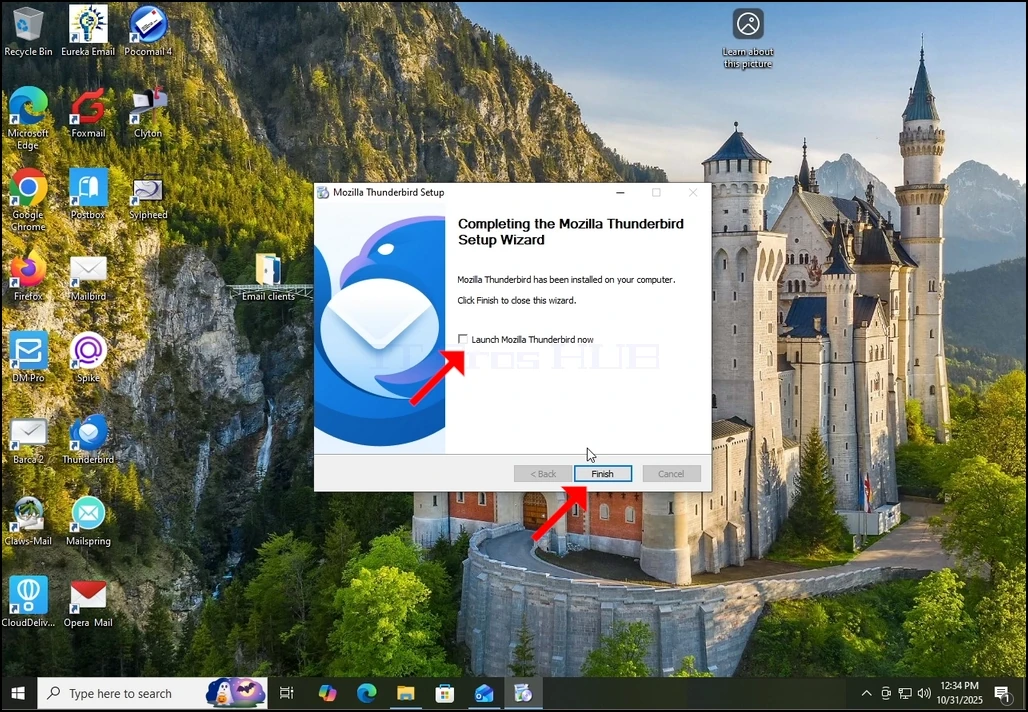
7. Mozilla Thunderbird je nyní nainstalován!