



- Details
- Written by: IT Pro
- Category: How to Articles
- Hits: 5184
1. Open Microsoft Word
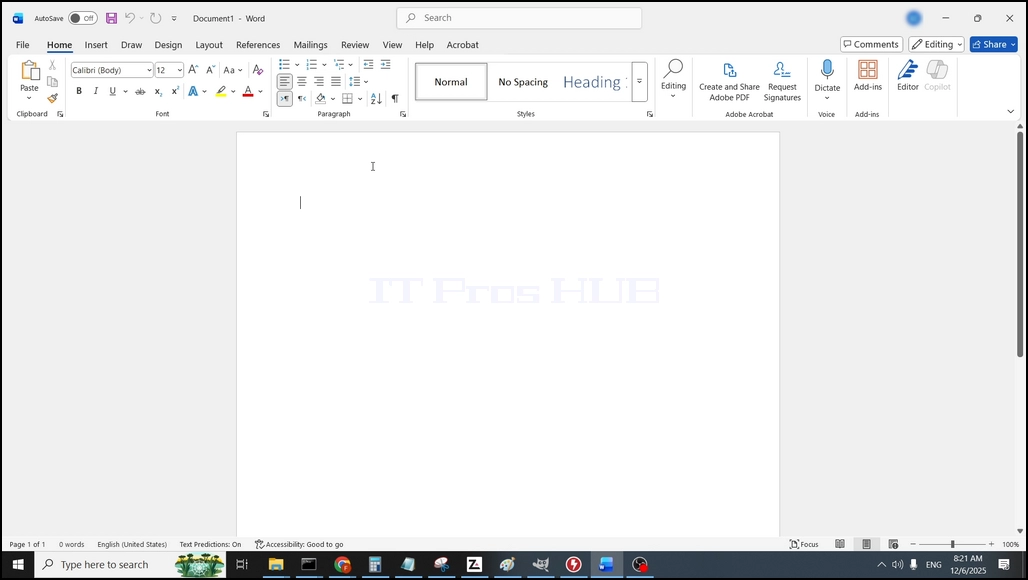
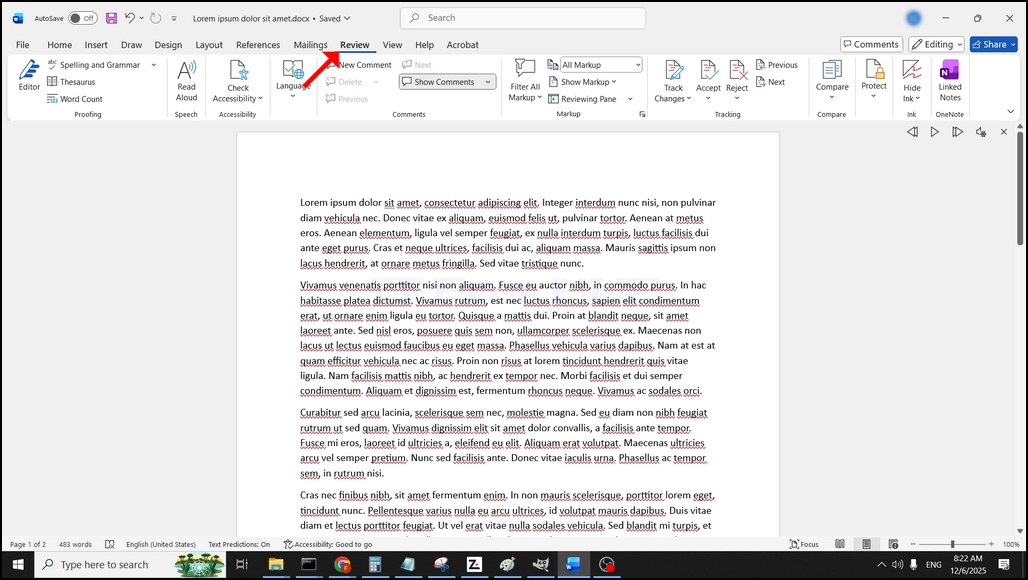
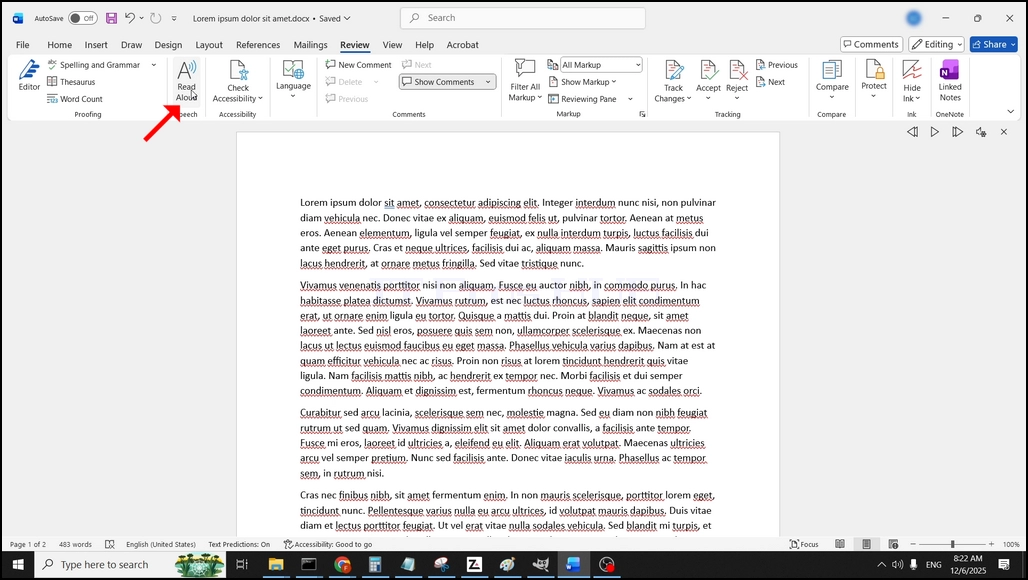
3. Under Review, look for a big "A" icon that says "Read Aloud" and click on it to activate the Text to Speech feature of Word:
- Details
- Written by: IT Pro
- Category: How to Articles
- Hits: 5698
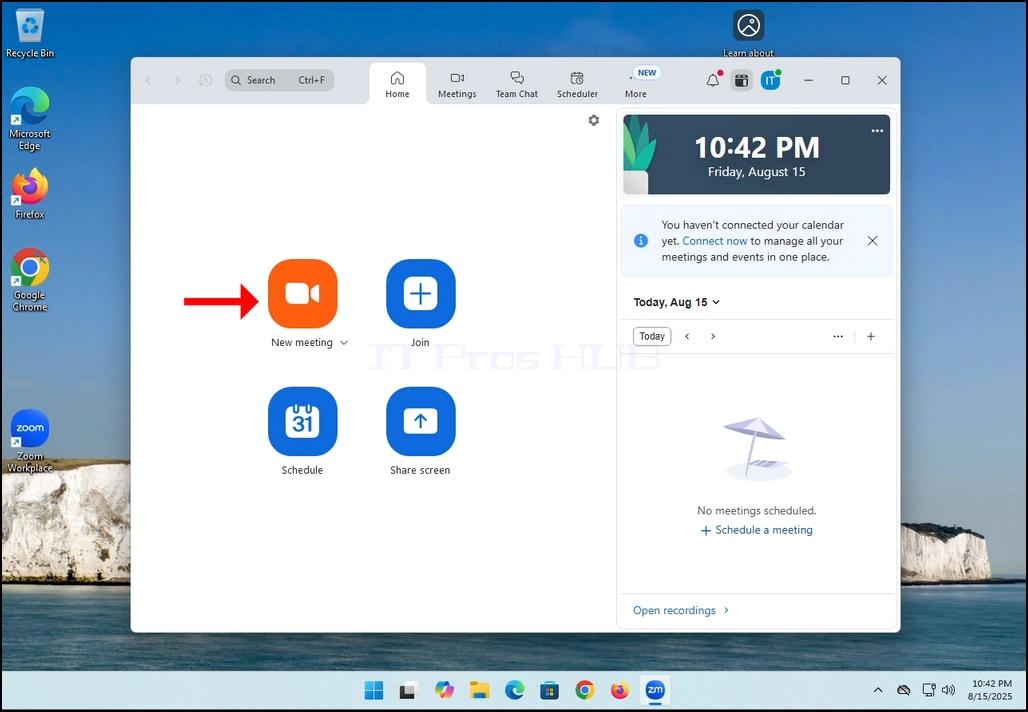
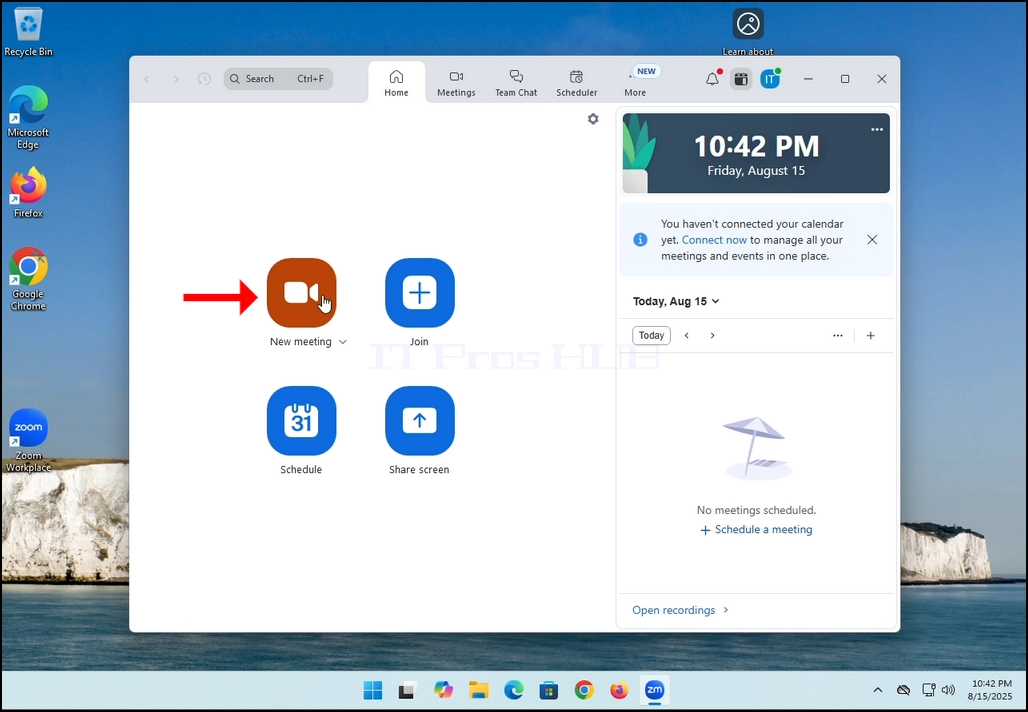
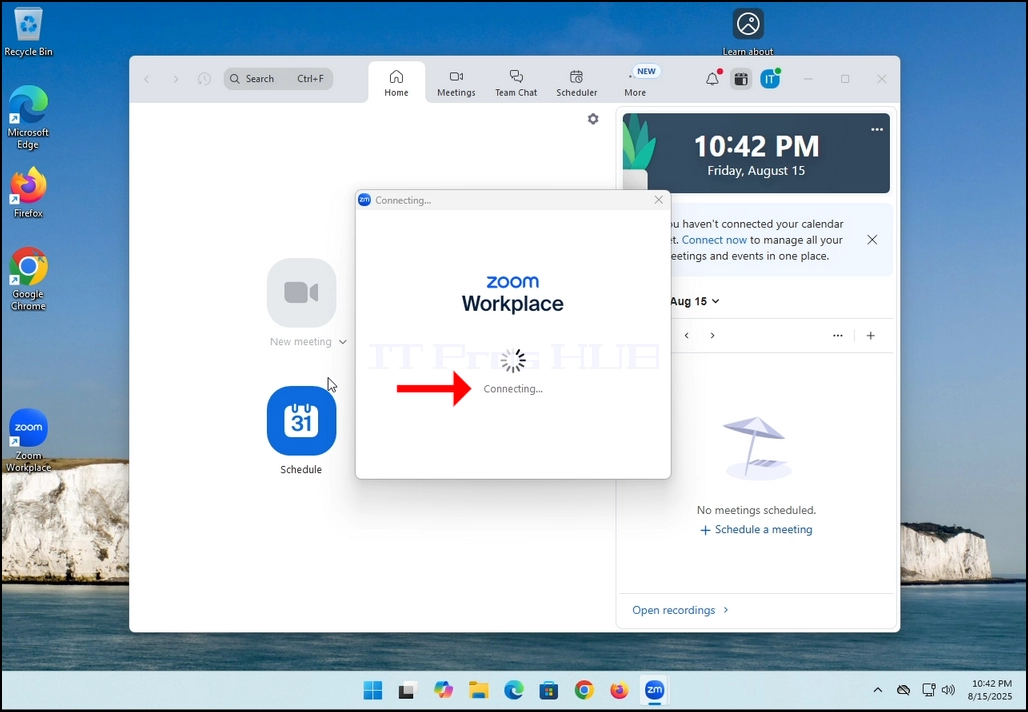
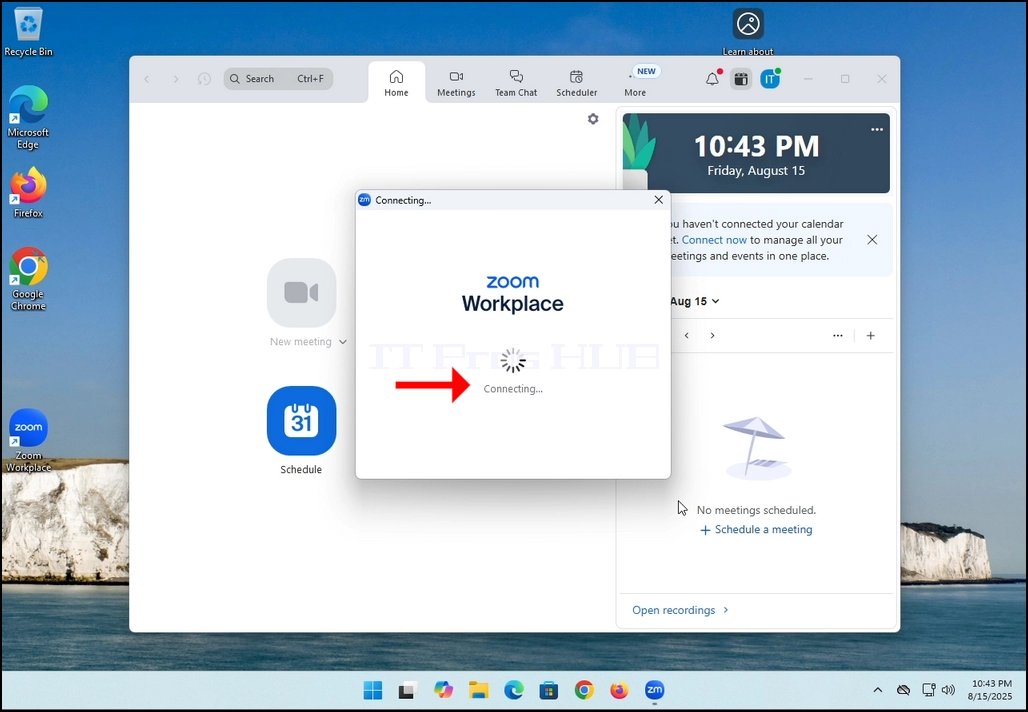
2. Once clicked, a new small window should appear. The window will show "connecting" and an animation progress circle.
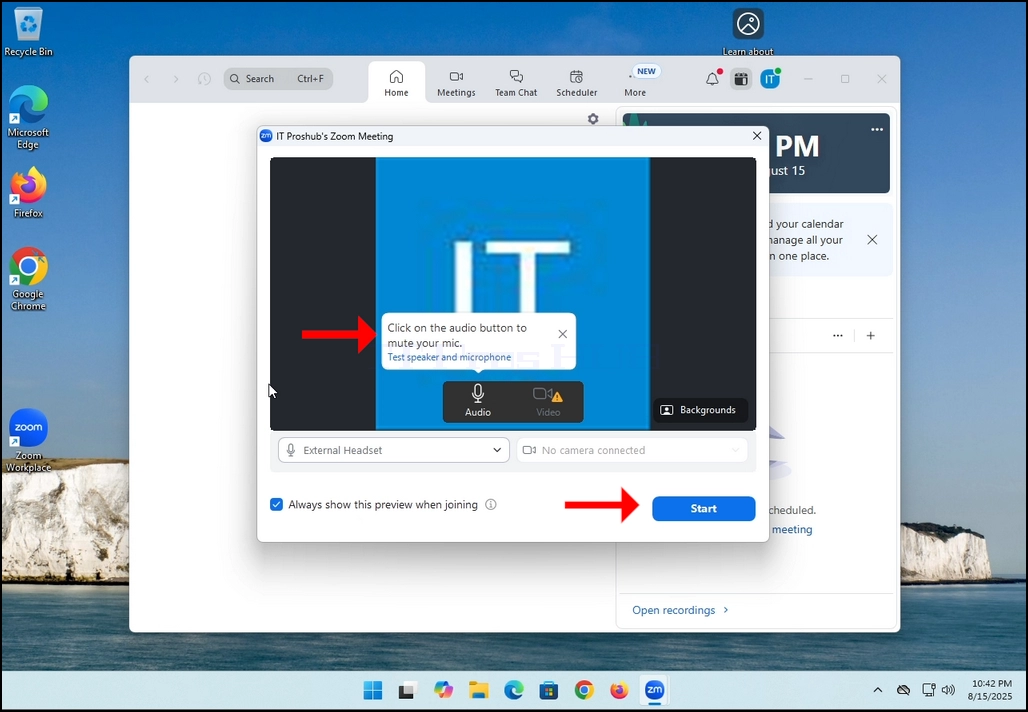
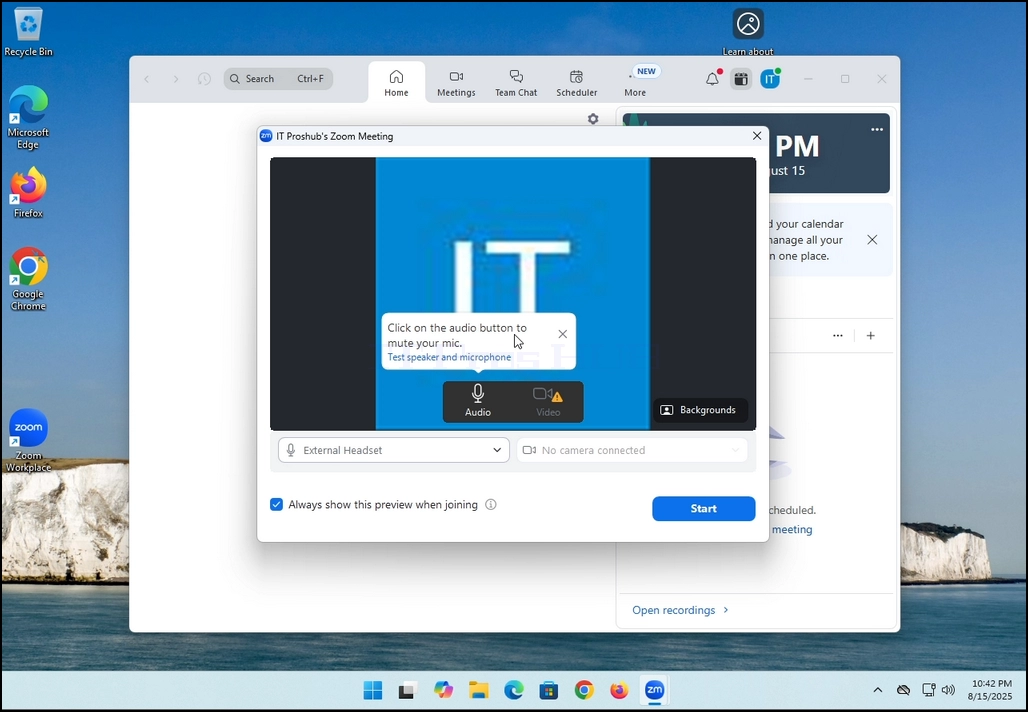
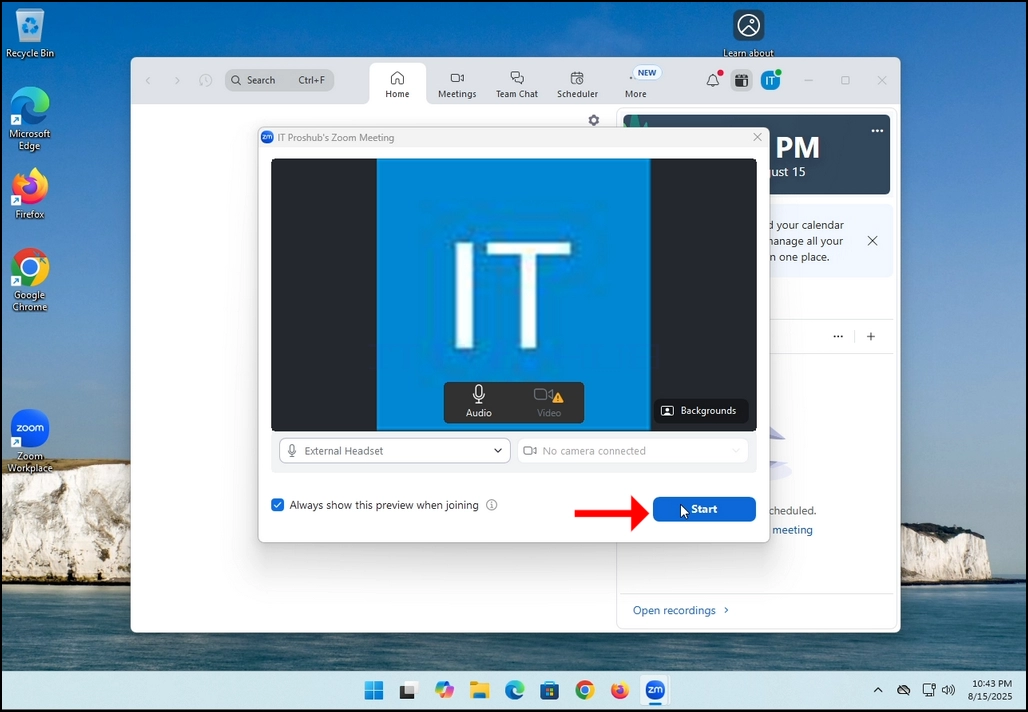
3. Once it's done loading, a new window will appear. Usually its title should say something along the lines of: "User's Zoom Meeting". In this article's case, it says "IT Proshub's Zoom Meeting" since the user that uses Zoom is called that way.
4. Here, you can mute your mic by clicking on the mic icon and you can also turn your camera off/on by clicking the Video icon.
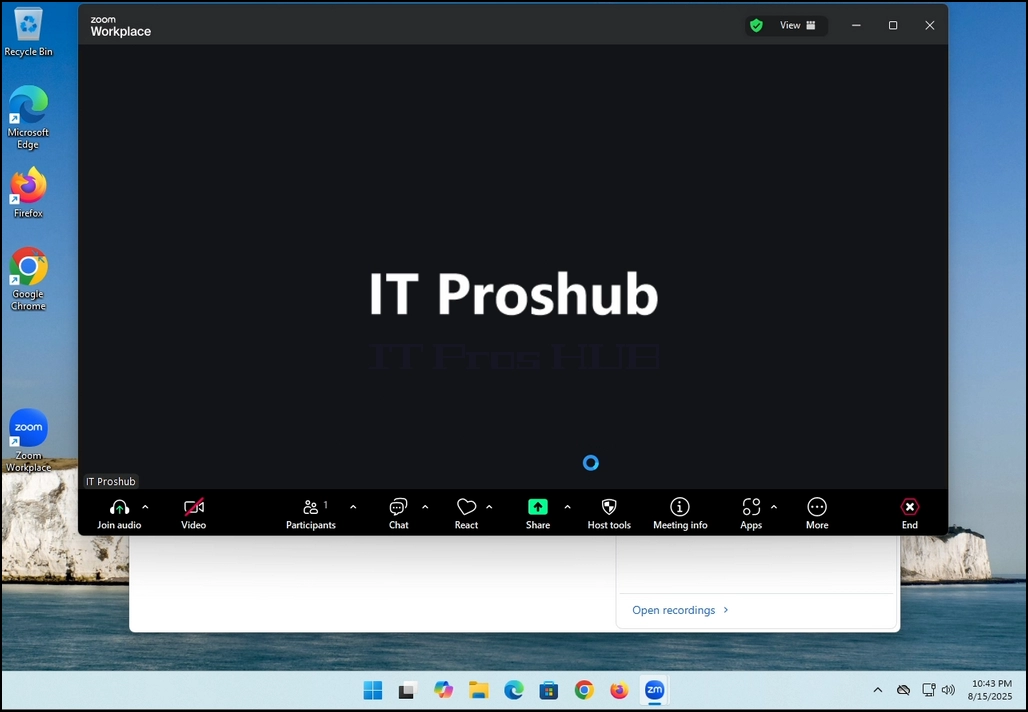
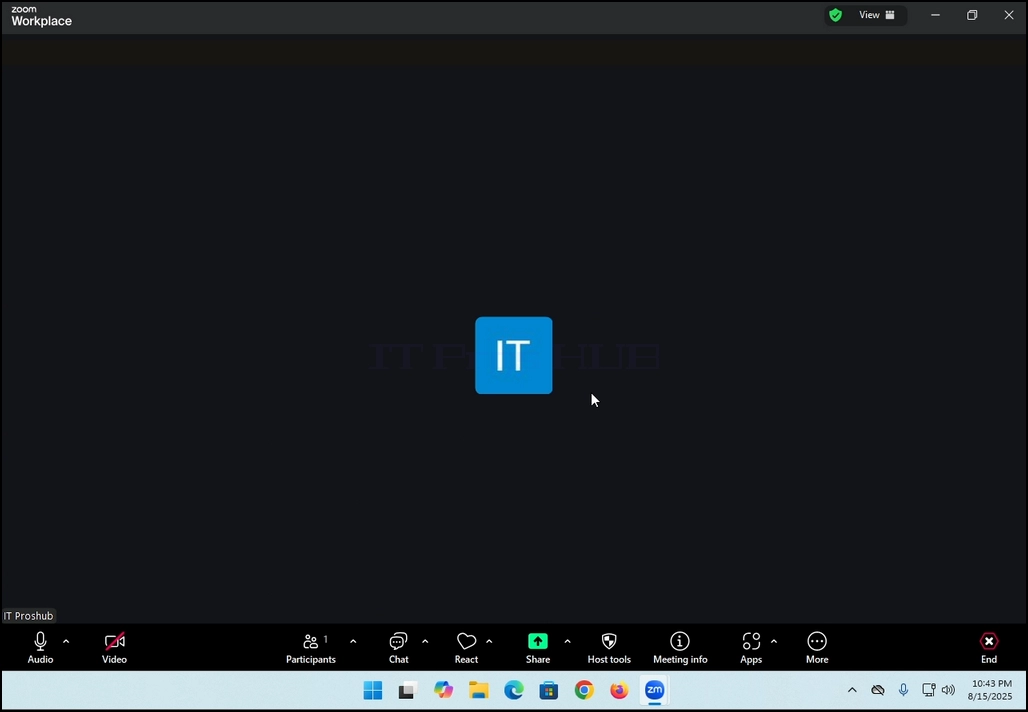
7. That's it! the new meeting is in progress. At this stage the meeting contains only the host which is IT Proshub in this article's case.
- Details
- Written by: IT Pro
- Category: How to Articles
- Hits: 5396
In this article we will demonstrate how to delete a stripped volume in Windows 11
1. Make sure what is the stripped volume's drive letter is. In this case the drive letter is (E:):
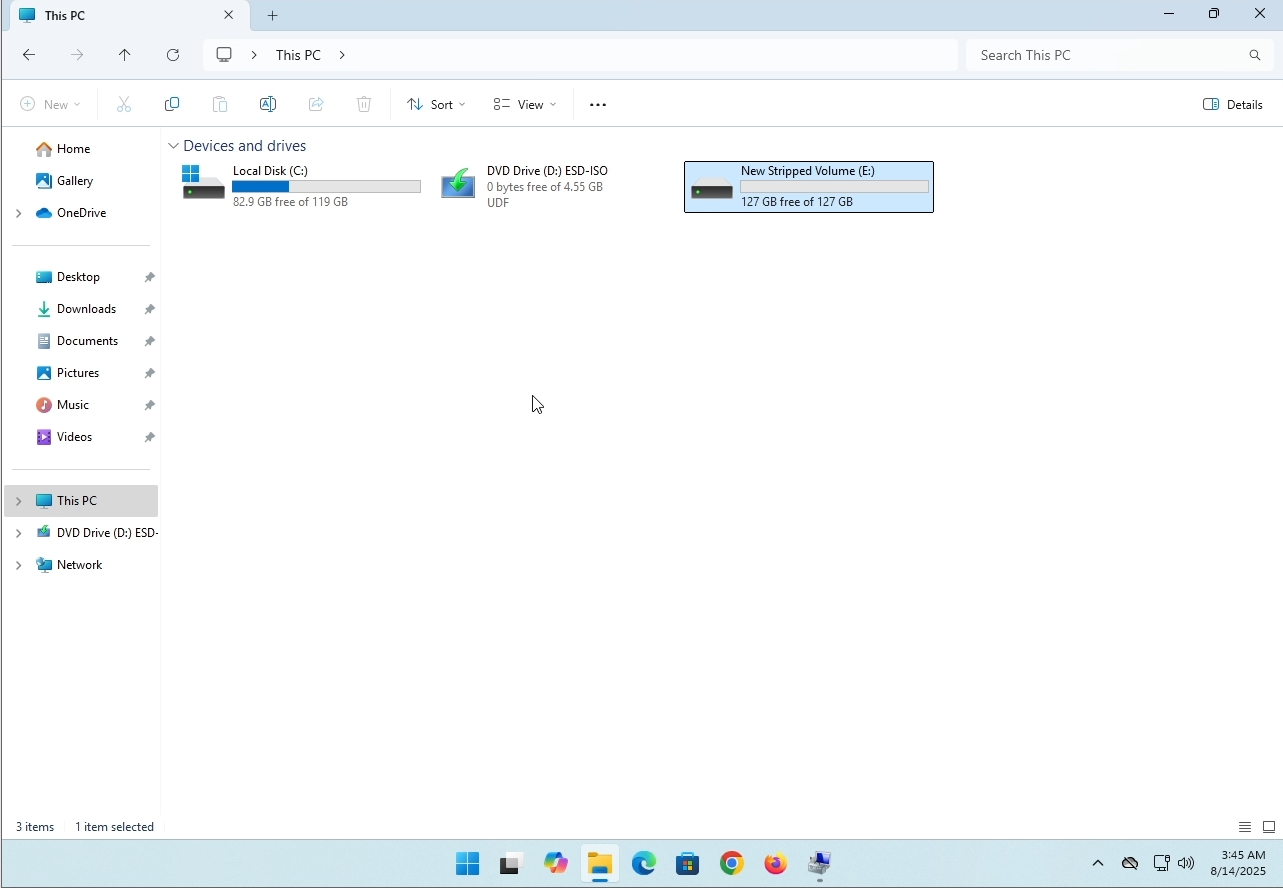
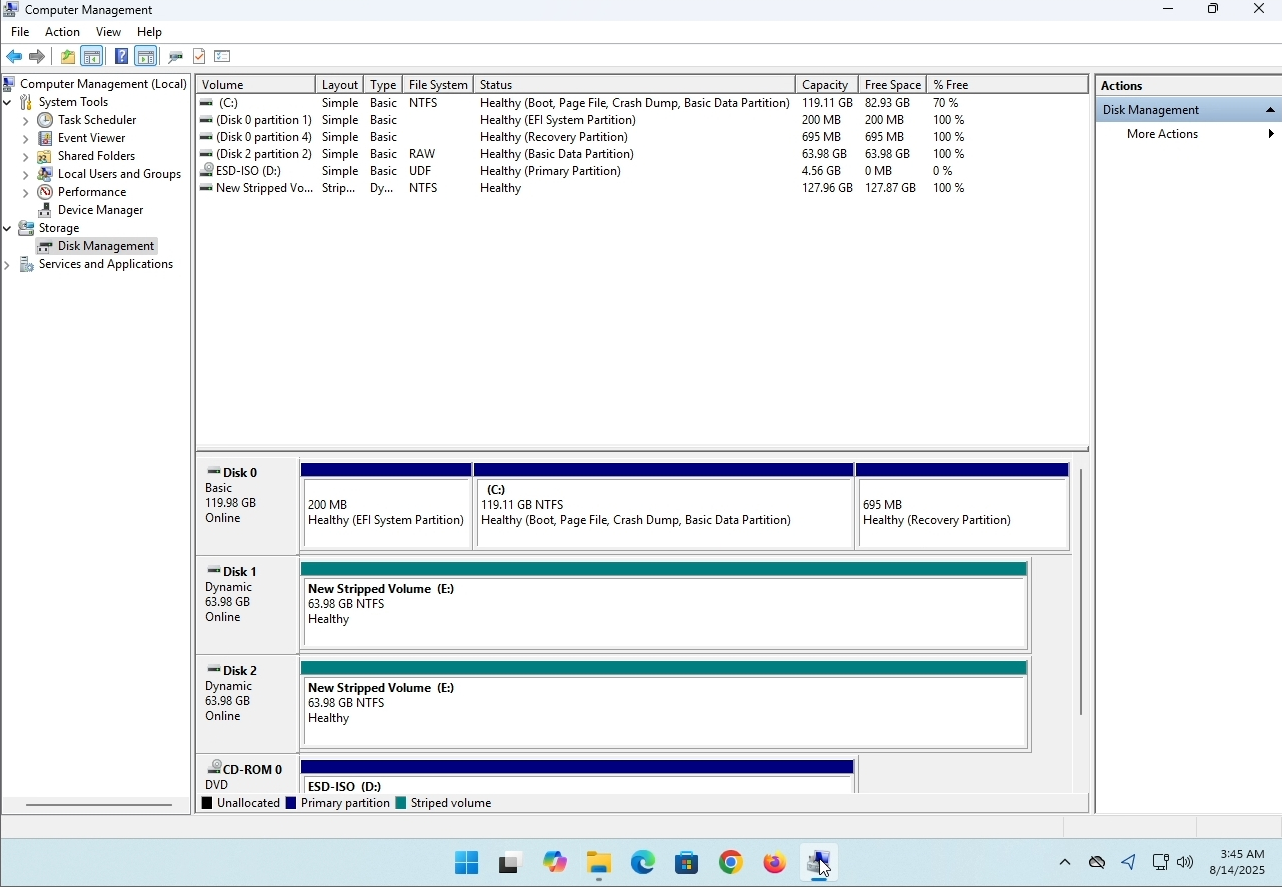
3. On the left pane. Look for Disk Management and click on it once.
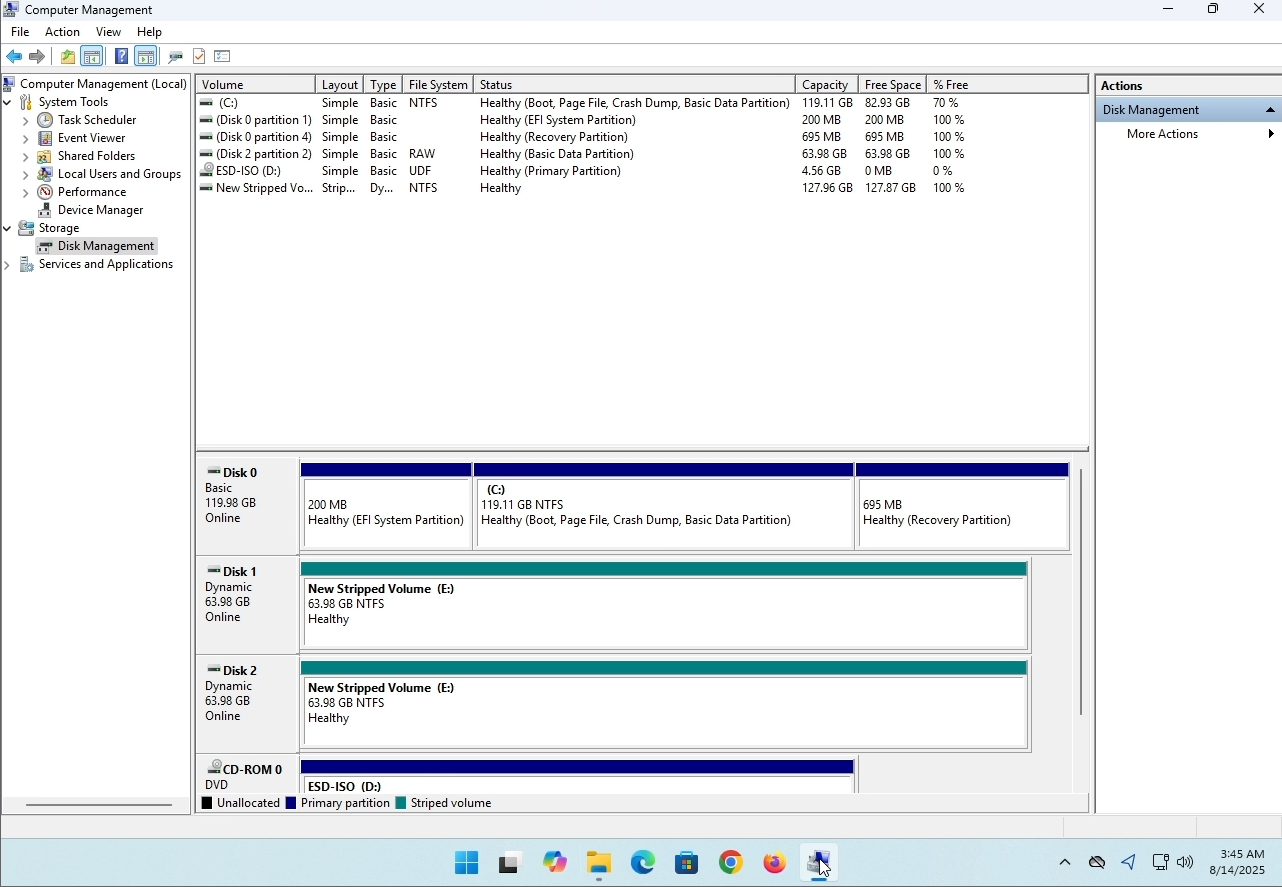
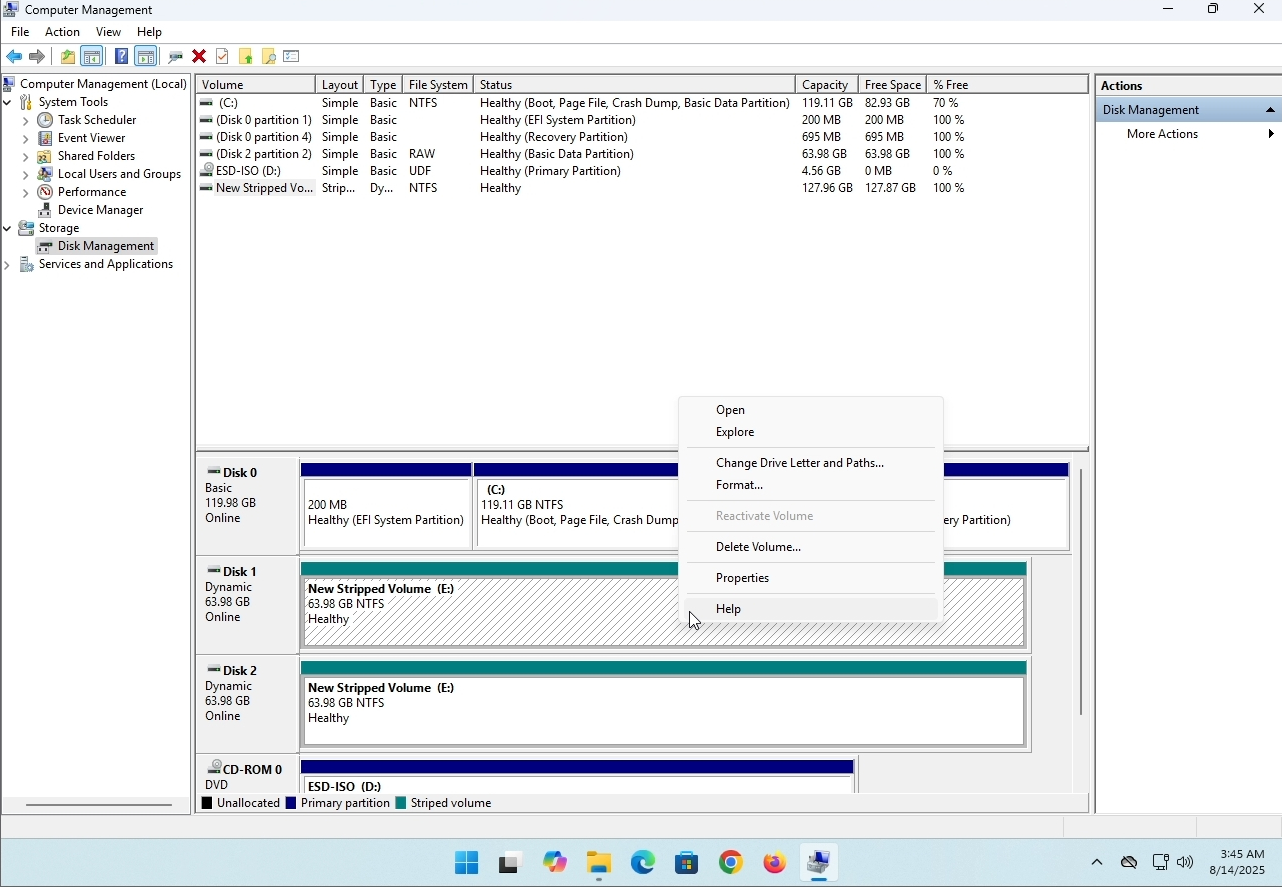
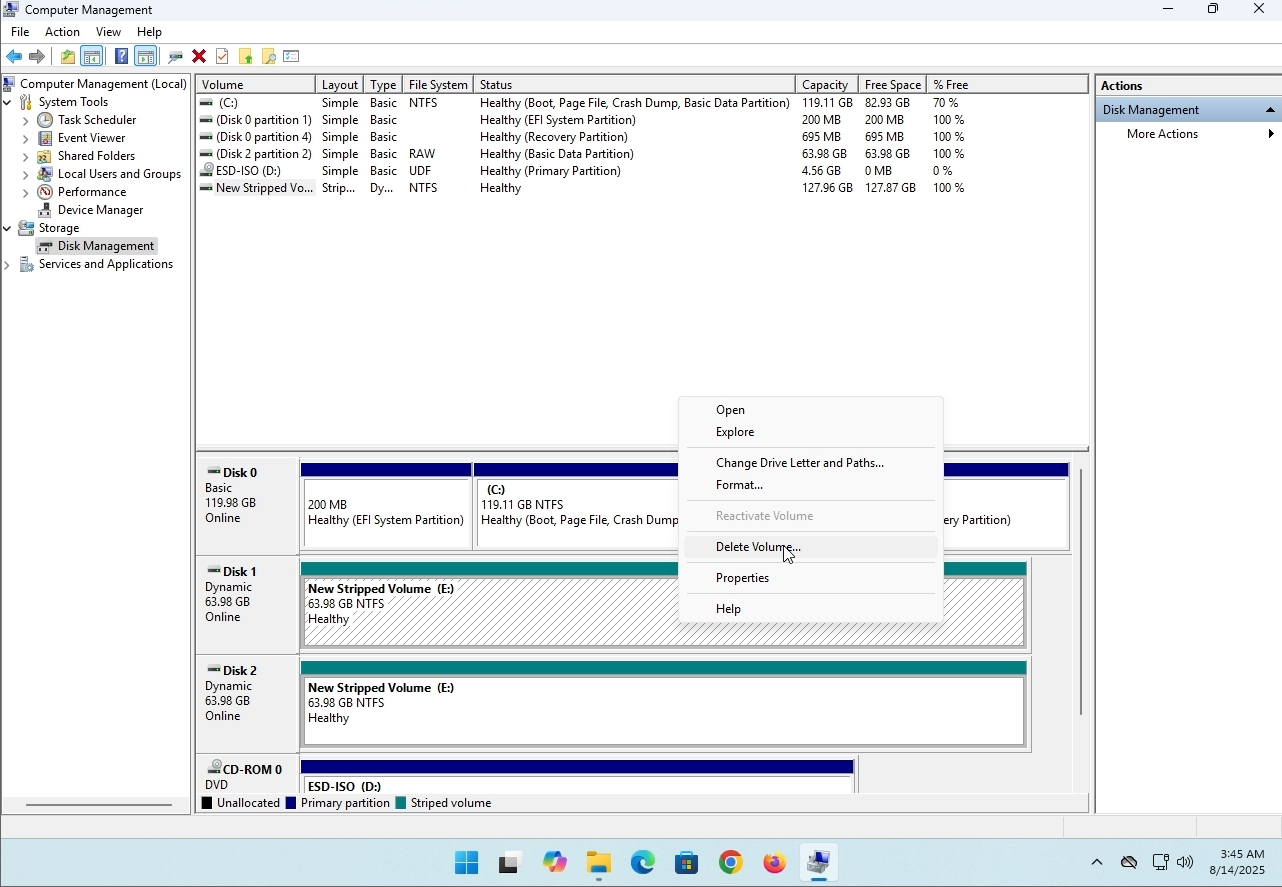
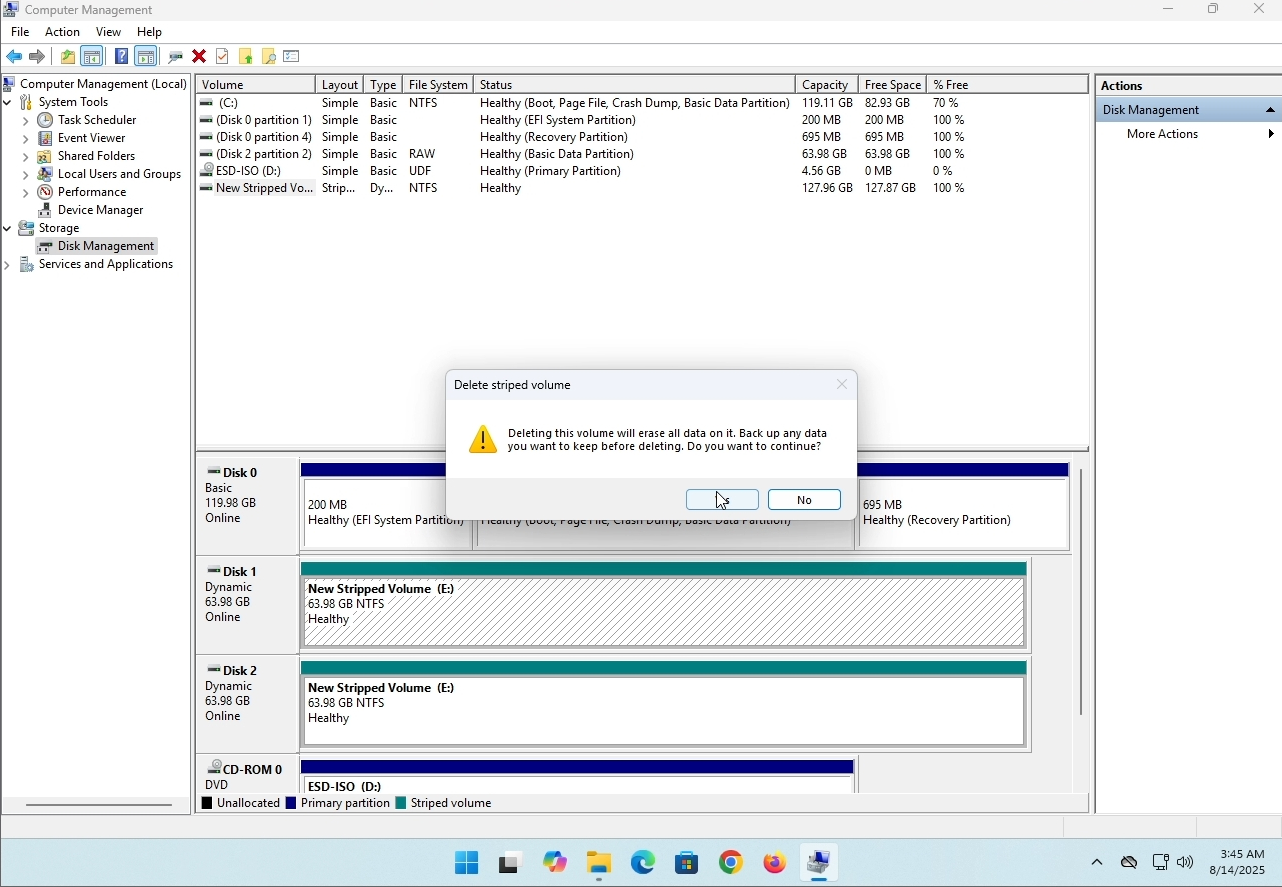
6. You will be shown a confirmation window. Click on Yes to confirm deleting the drive.
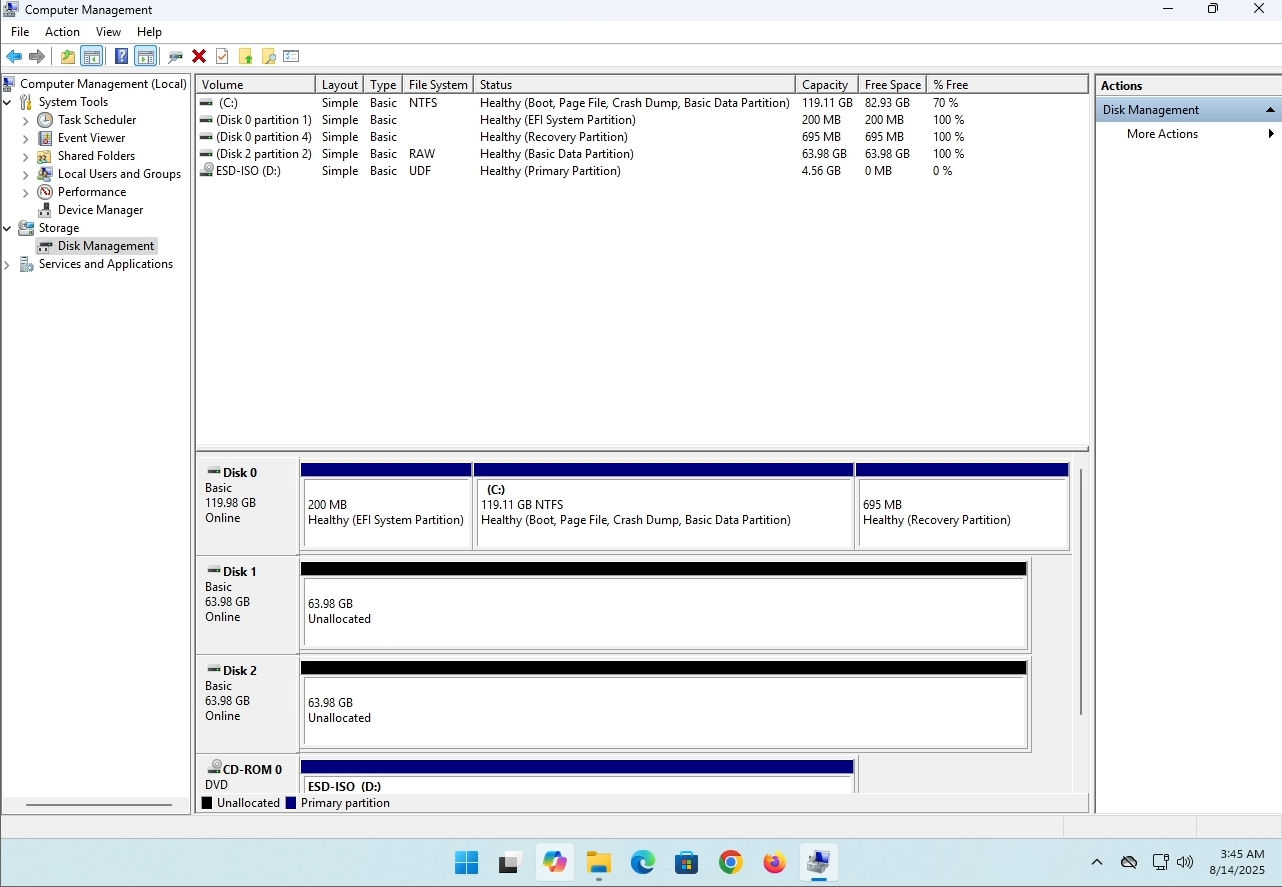
7. The drive is now deleted and the disks that were part of the stripped array are now unallocated.
- Details
- Written by: IT Pro
- Category: How to Articles
- Hits: 8136
Introduction:
In this article we will examine whether Windows 11 could be installed on a computer that has no TPM chip.
In short: NO.
Windows 11 cannot be installed on a computer without a minimum of a TPM version 2.0 chip.
The following is an illustration of an attempted installation of Windows 11 on such a computer.
The Windows version that was attempted to be installed was 24H2.
1. Booting into Windows installation


2. Configuring language

3. Configuring installation method

4. Product key stage


5. Choosing Windows 11 Pro


6. Checking PC stage

7. Blocker ☹

Conclusion:
Not much to say here. We had to see it for ourselves. There is a big discourse about this subject, and it seems to hold water in this case. Installation-wise – Windows 11 cannot be installed on a computer or a system without a TPM version 2.0 chip.
That does not mean Windows 11 cannot be RUN on said system. For more , please visit our article about this subject: https://itproshub.com/en/windows/can-windows-11-run-on-a-computer-that-has-no-tpm-chip-at-all-decembet-2025
- Details
- Written by: IT Pro
- Category: How to Articles
- Hits: 7243
1. Start the installation of Thunderbird by clicking its setup file
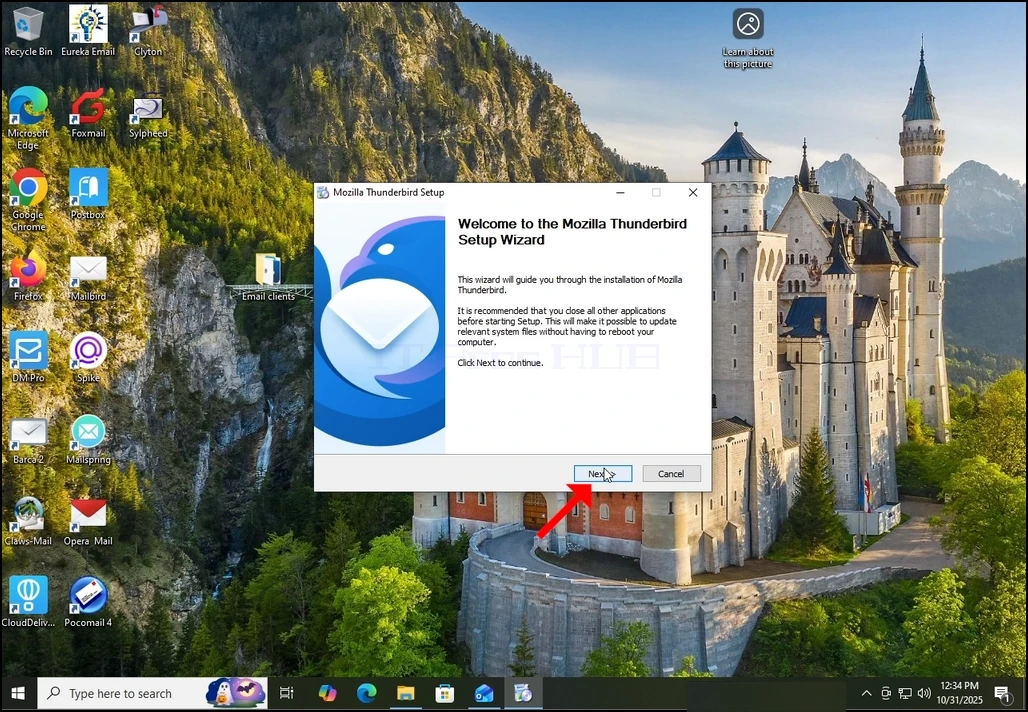
2. In the welcome screen, click NEXT.
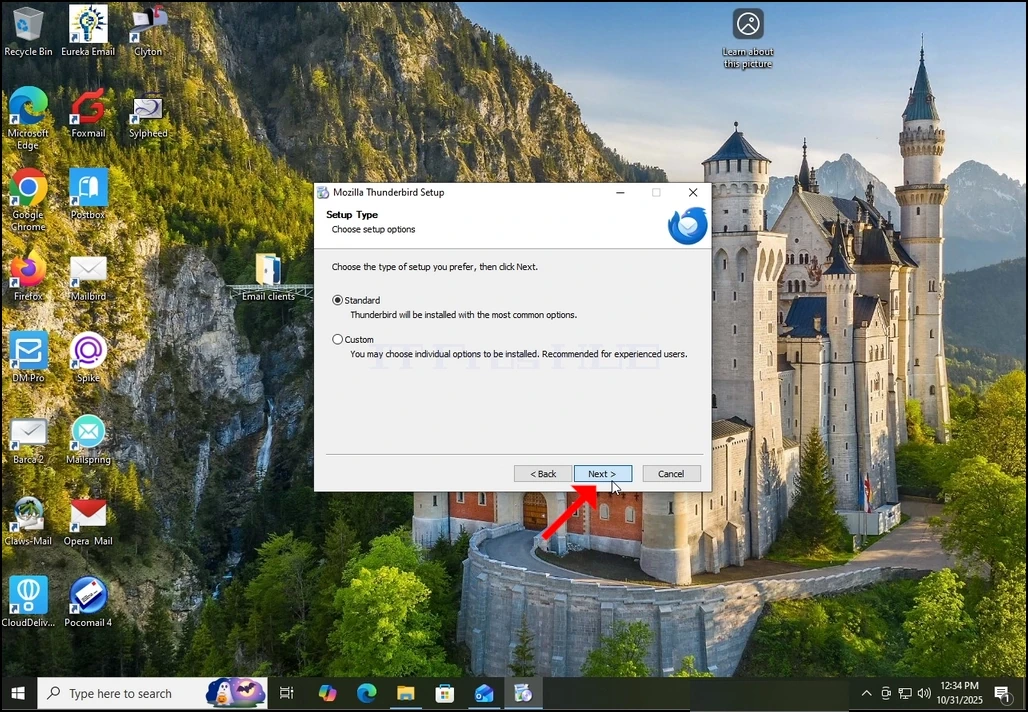
3. Choose the Standard option and click NEXT.
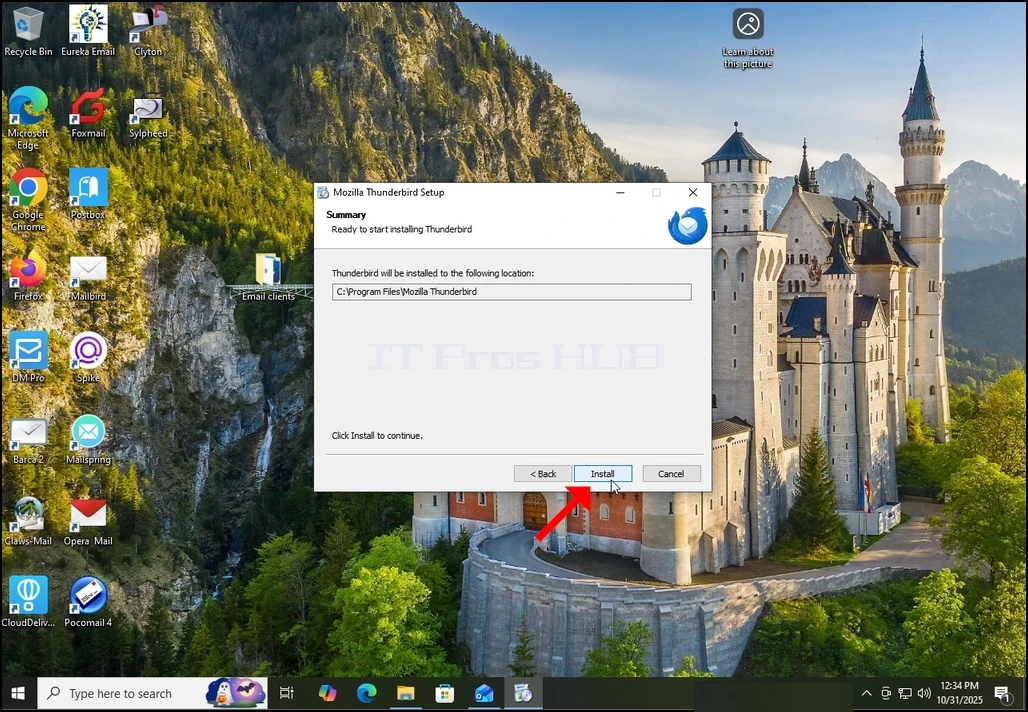
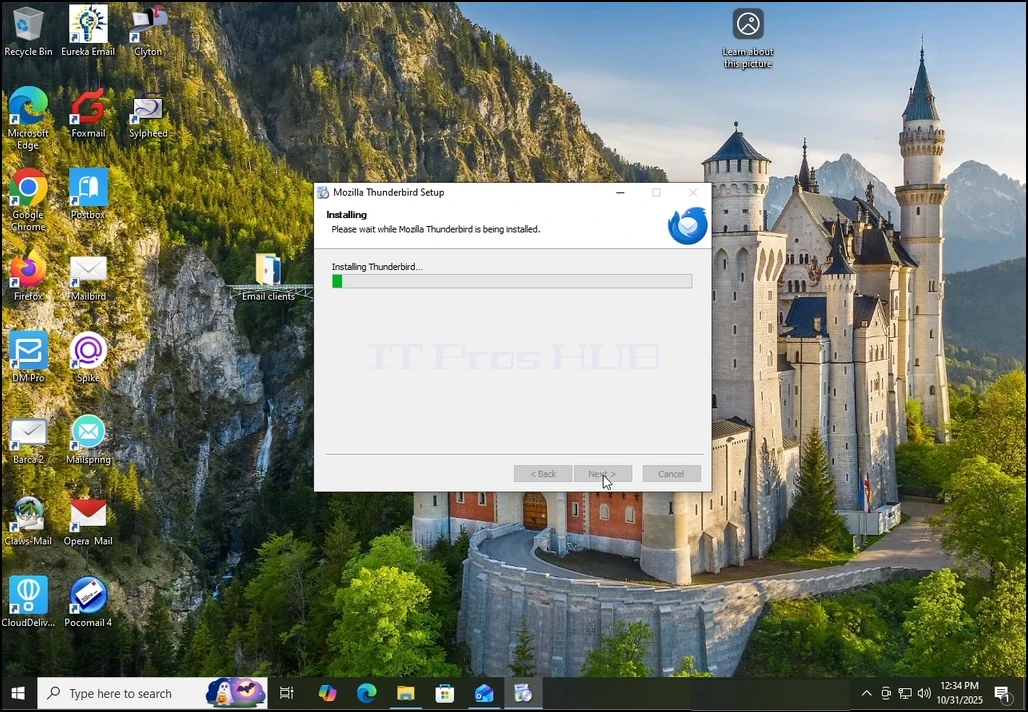
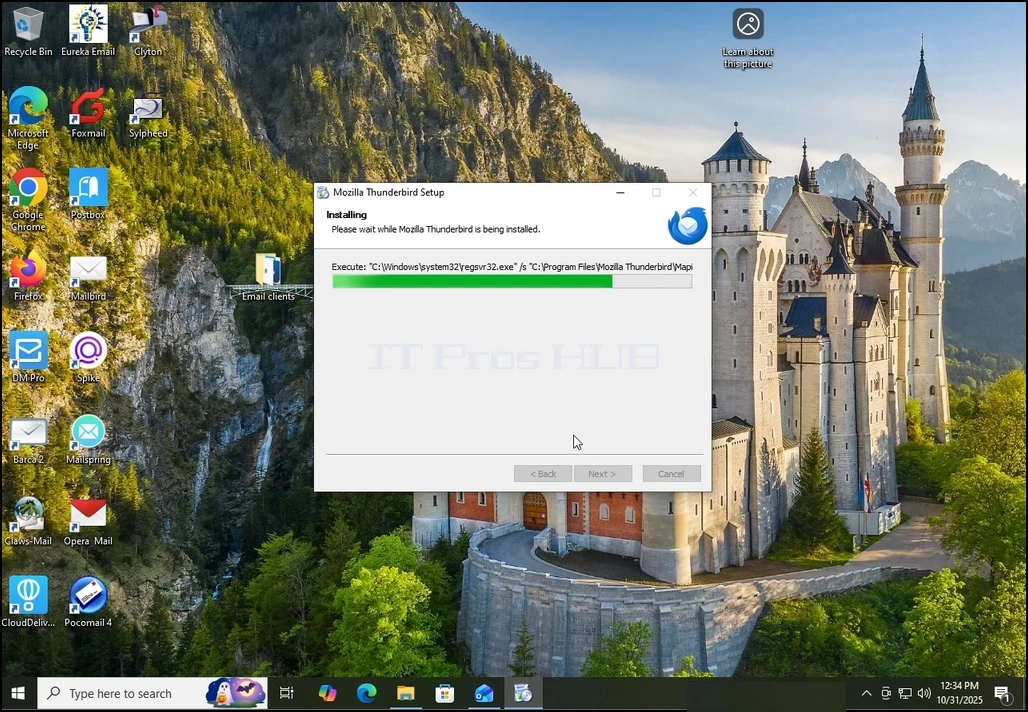
5. Wait patiently for the installation process to finish
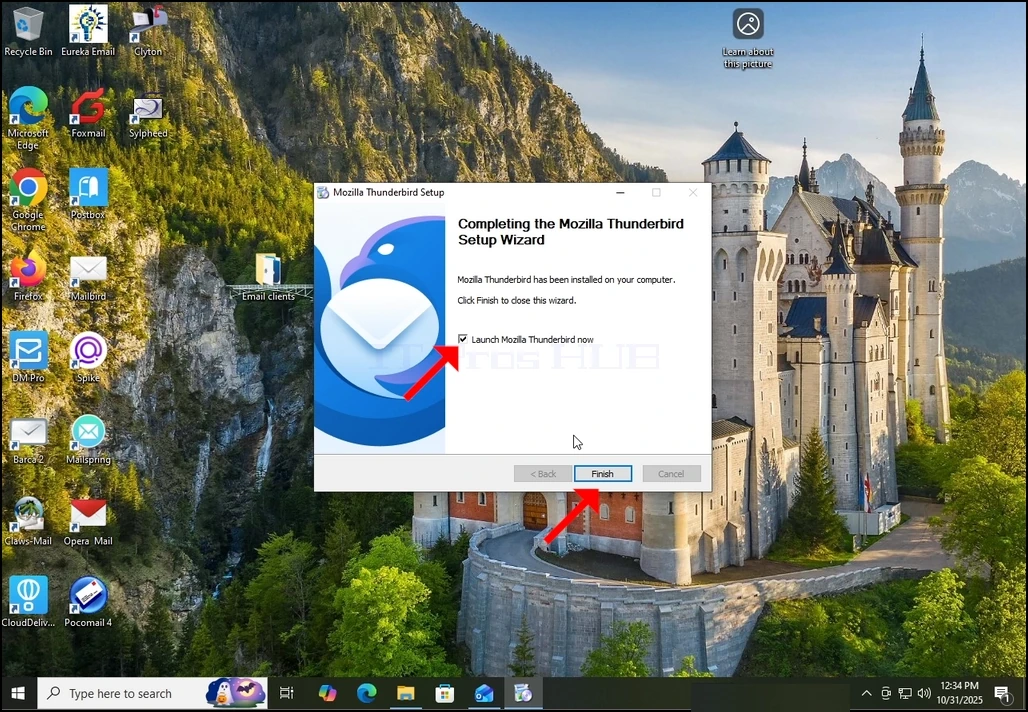
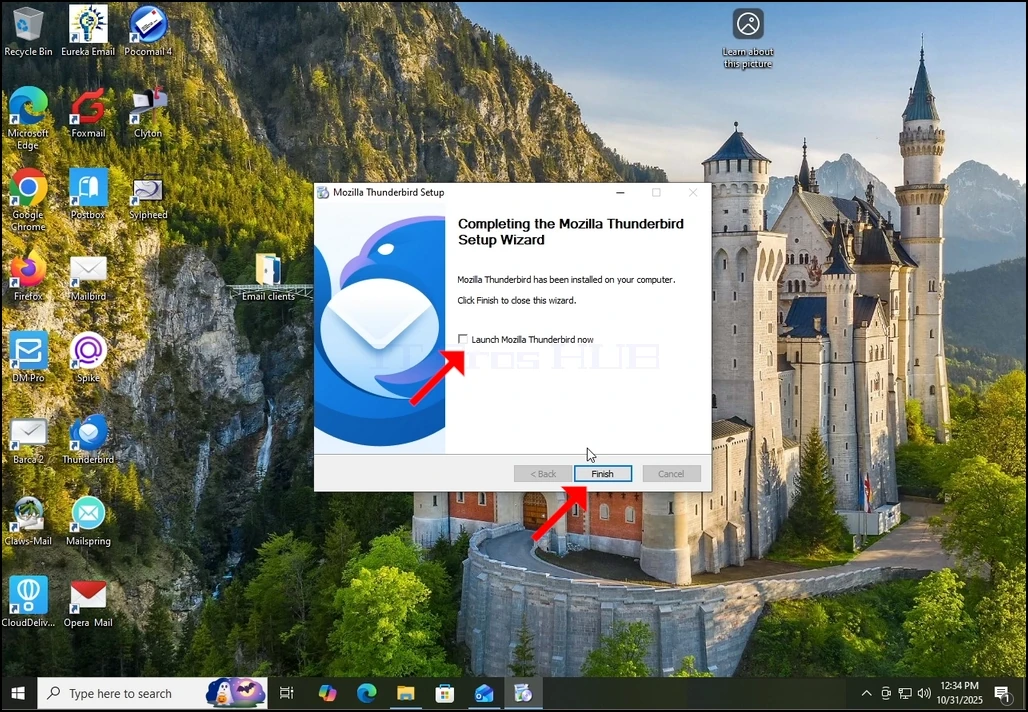
7. Mozilla Thunderbird is now installed!